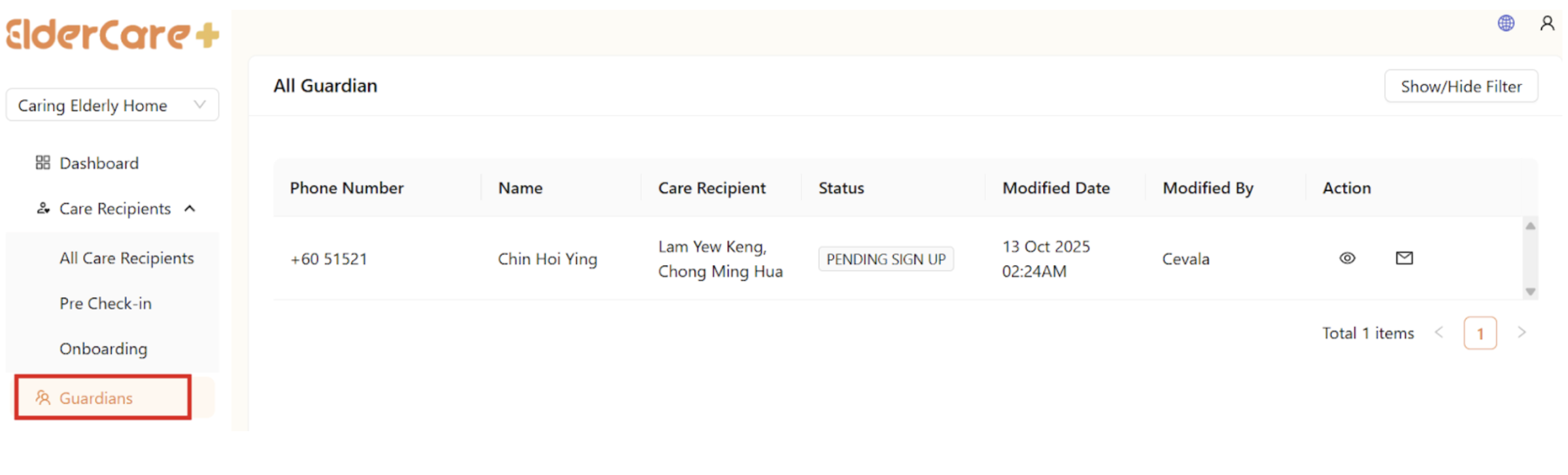
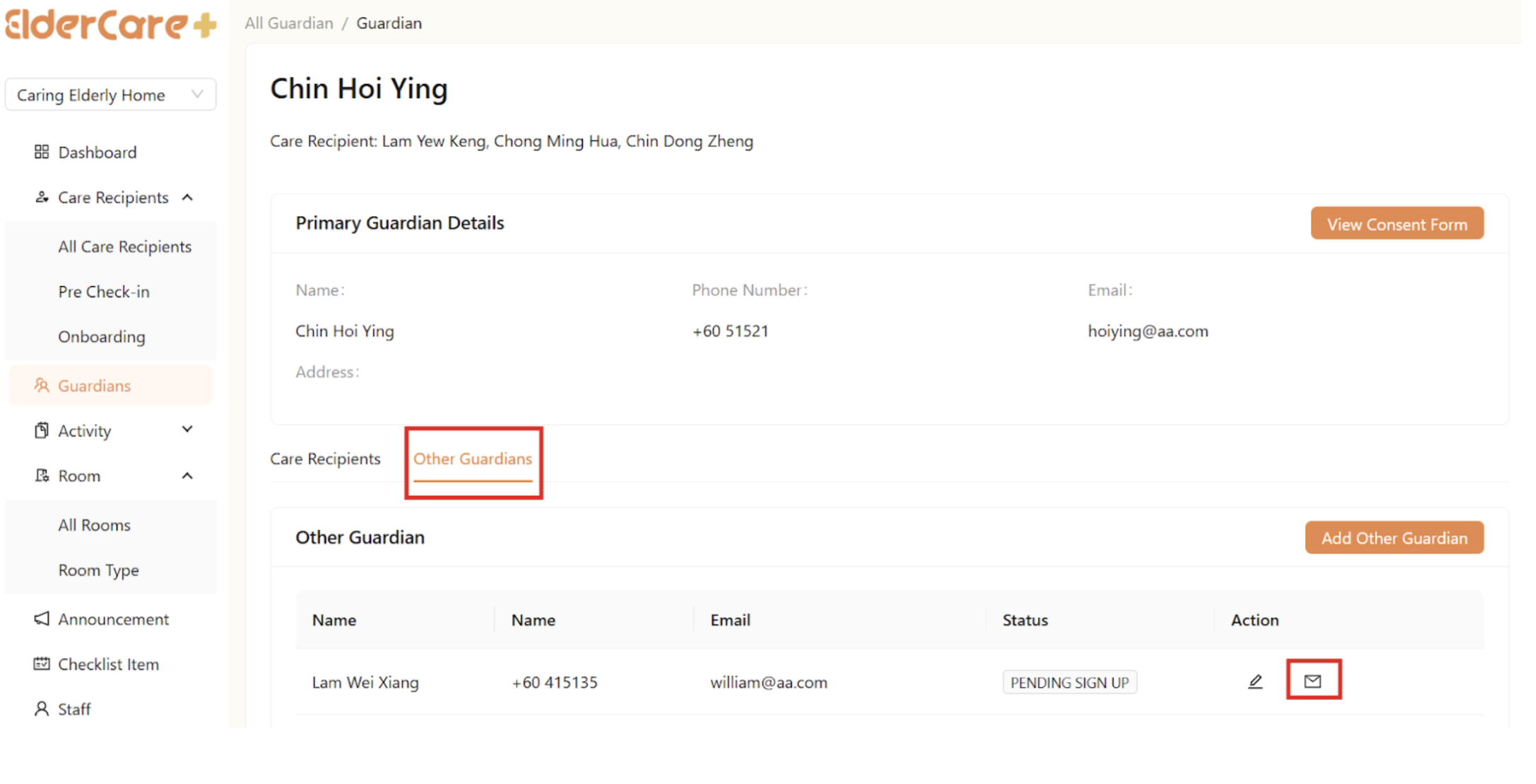
How to Resend Invitation Link to Pending Sign Up Guardians
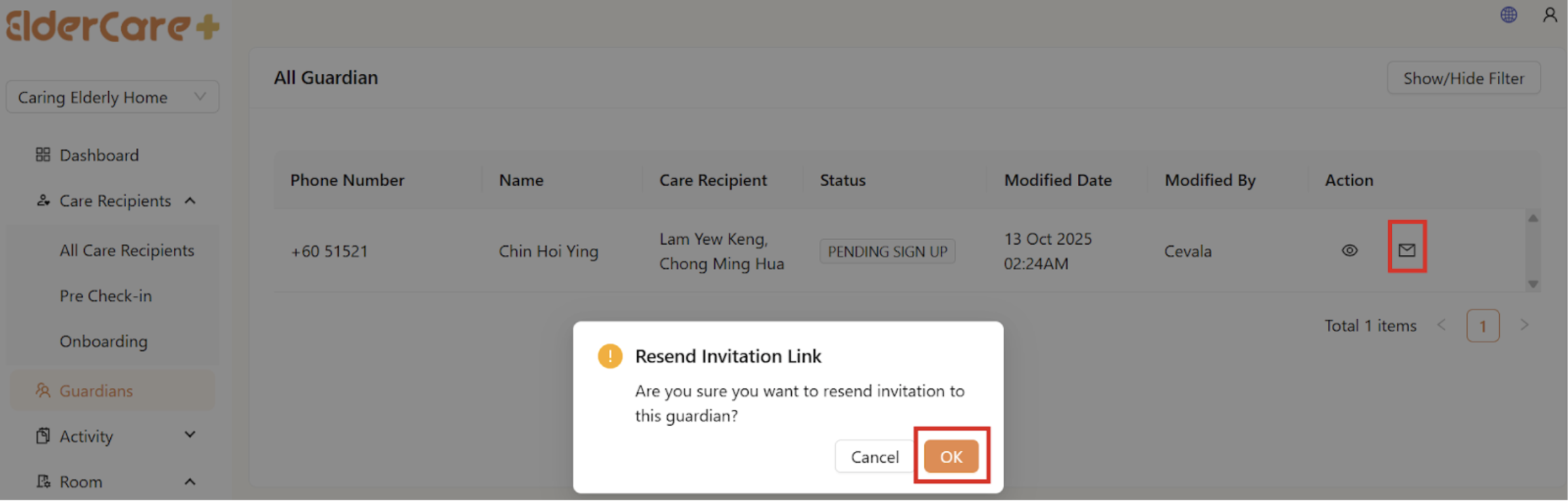
- Click on the “Resend Invitation Link” icon, then click “OK”
How to View Guardian's Profile
- Click on the “View Profile” icon
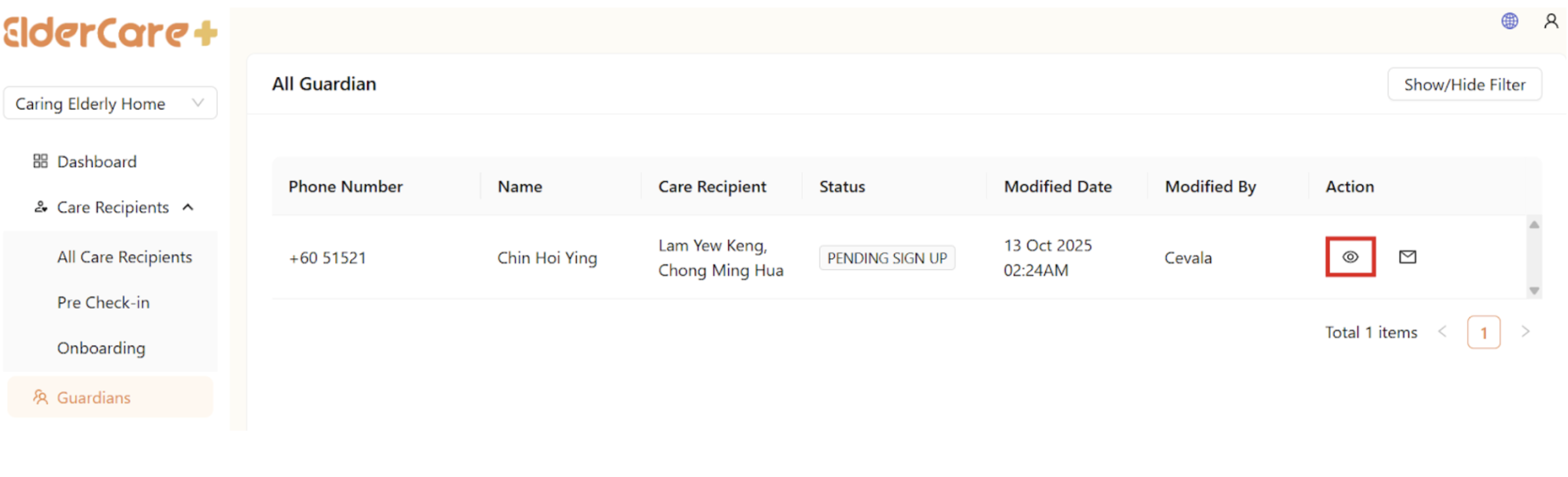
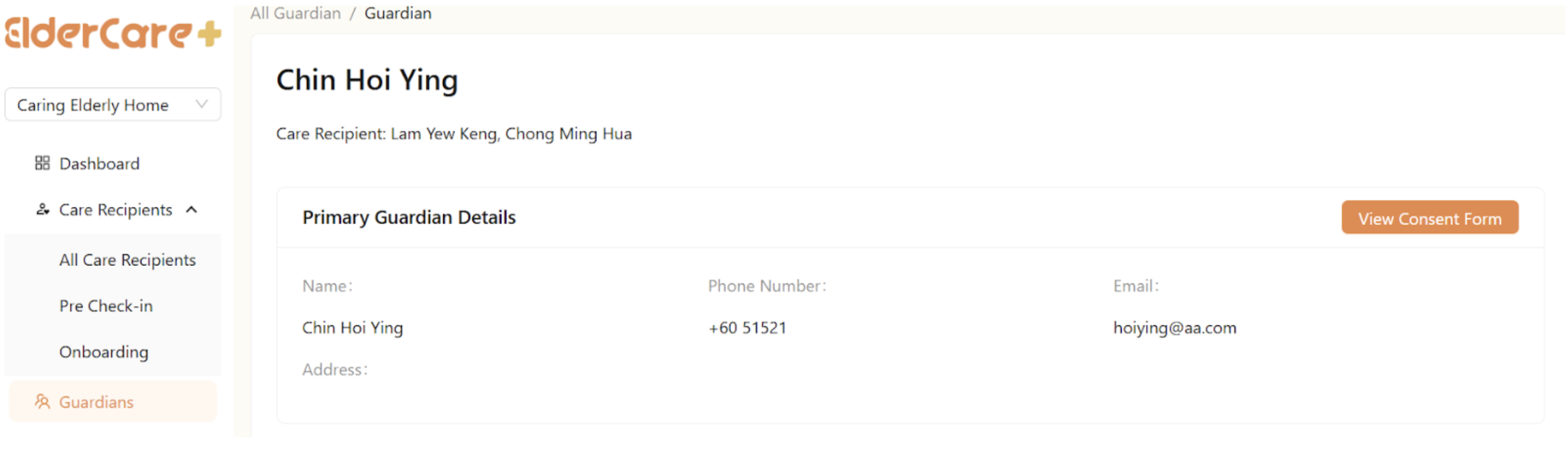
- Click on the “View Profile” icon
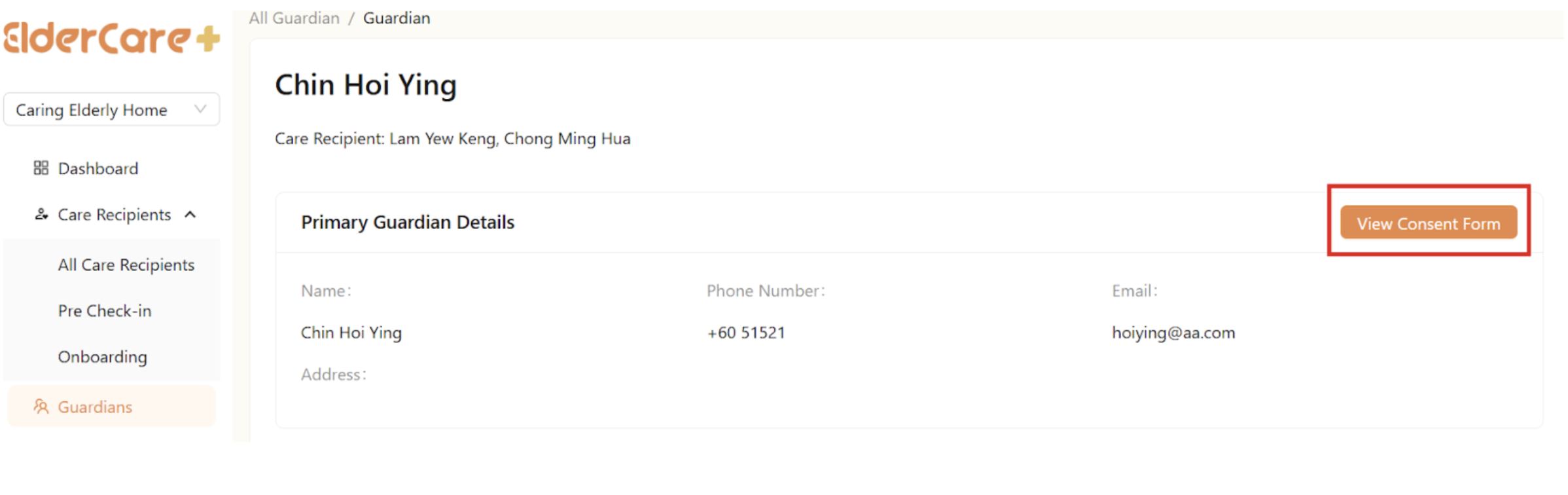
- Click “View Consent Form”
How to View Care Recipients’ Profile Under the Guardian
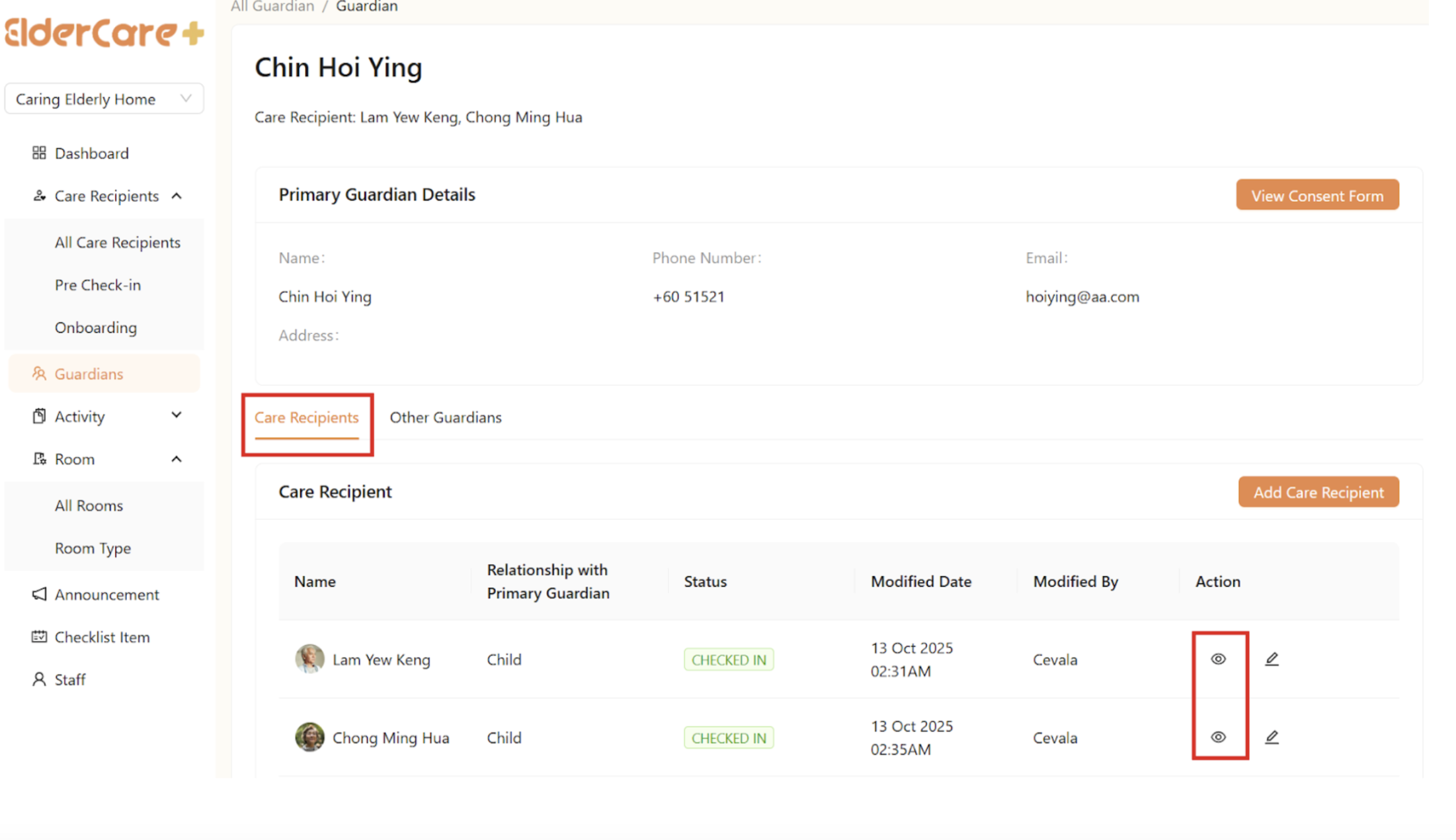
- Click on the “View Profile” icon
- Click “View Profile” under “Care Recipients”
How to Edit Care Recipients’ Profile Under the Guardian
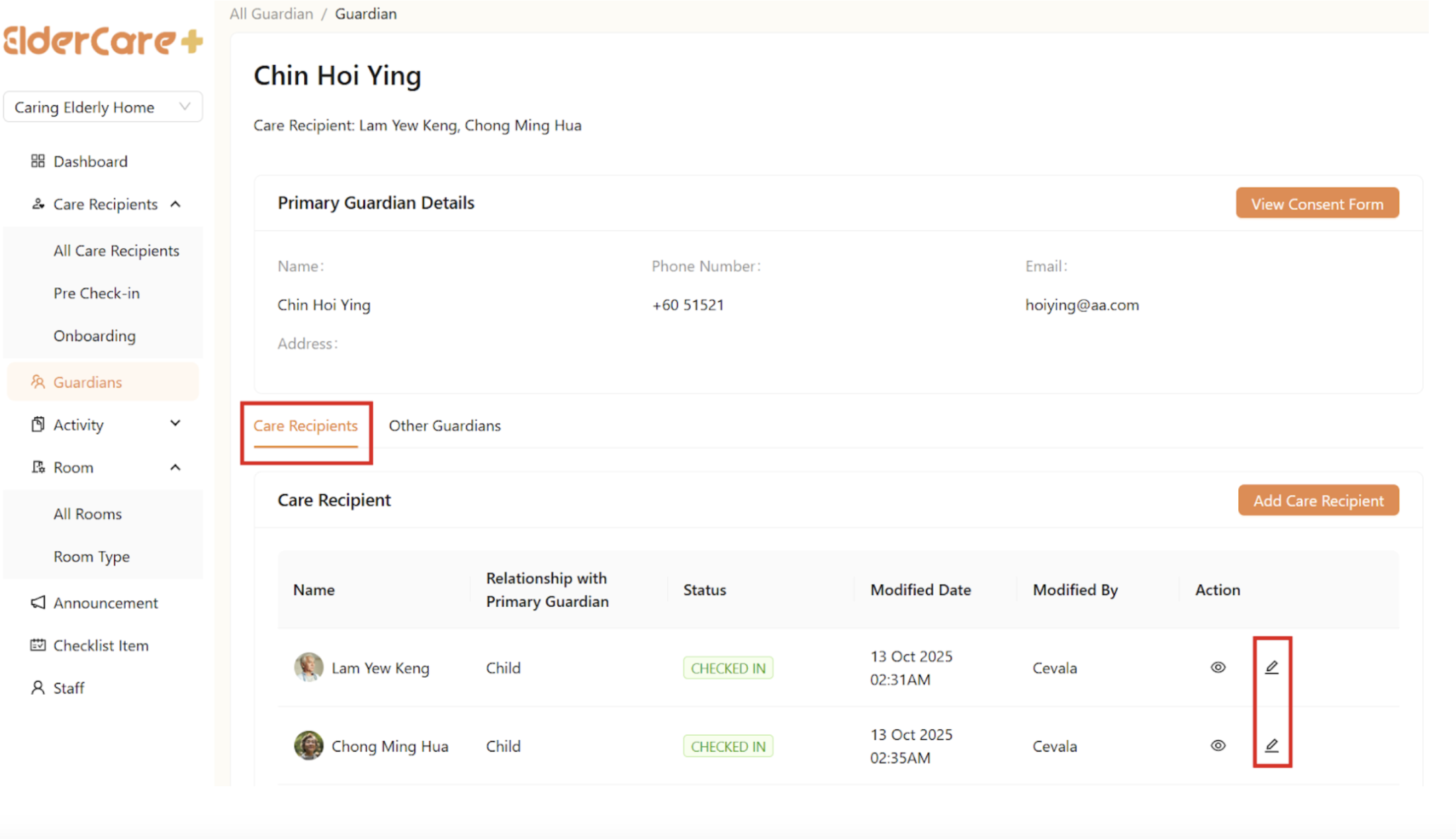
- Click on the “View Profile” icon
- Click “Edit Profile” under “Care Recipients”, then click “Save” after changes made
How to Add Care Recipients Under the Guardian
- Click on the “View Profile” icon
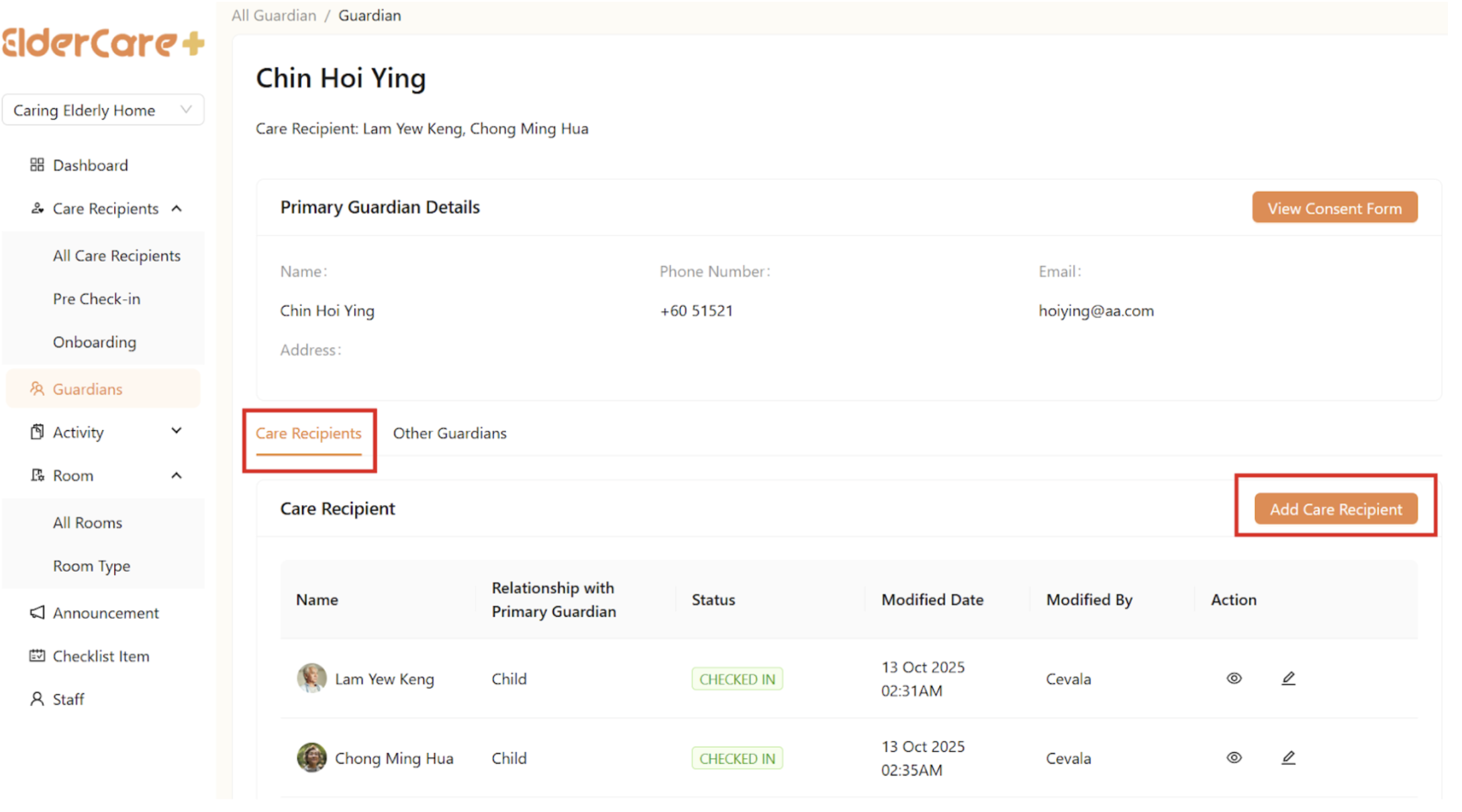
- Click “Add Care Recipient” under “Care Recipients”
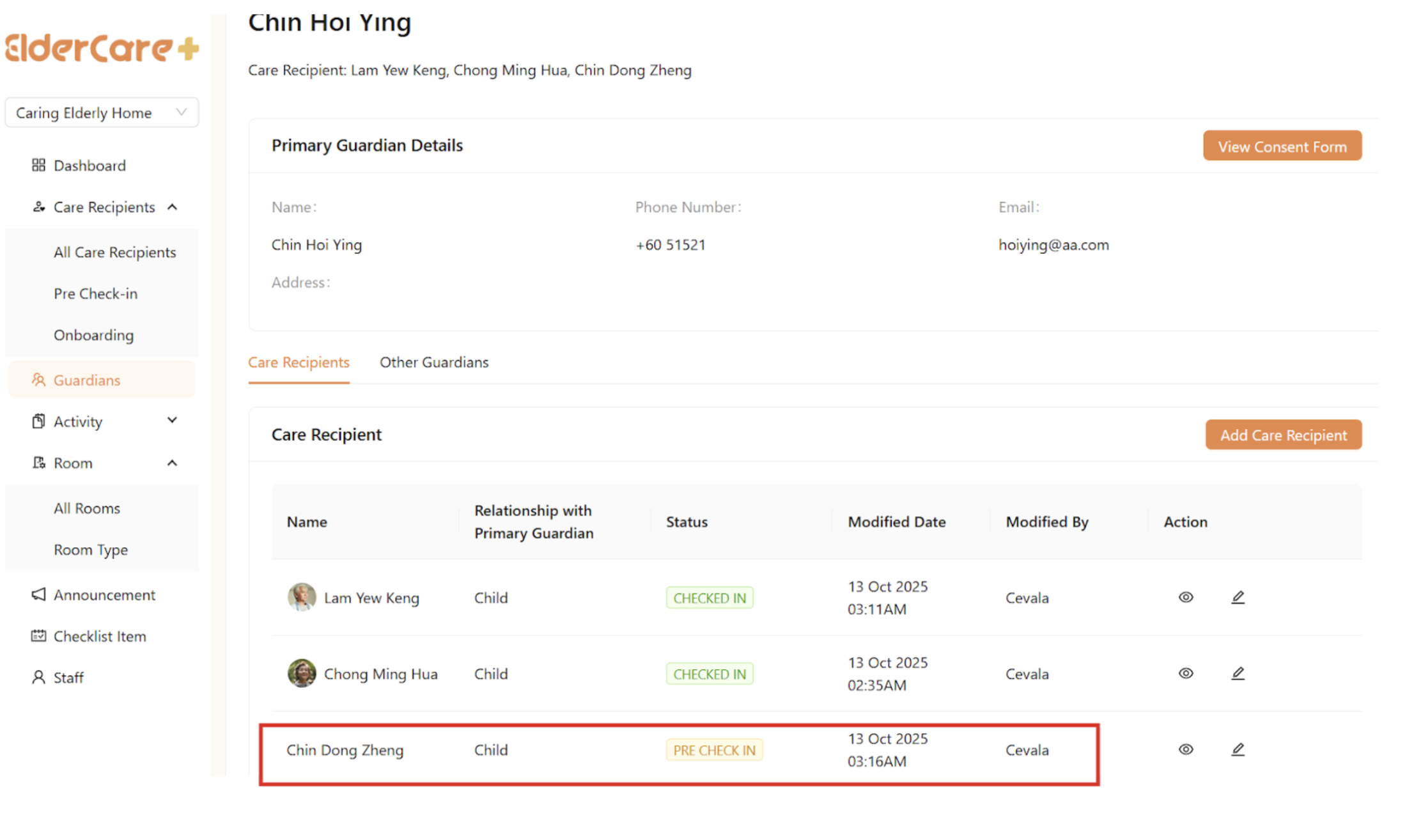
- Fill in the required fields, then click “Save”
- The new care recipient’s status is “Pre Check-In”
How to Edit Other Guardian’s Profile Under the Guardian
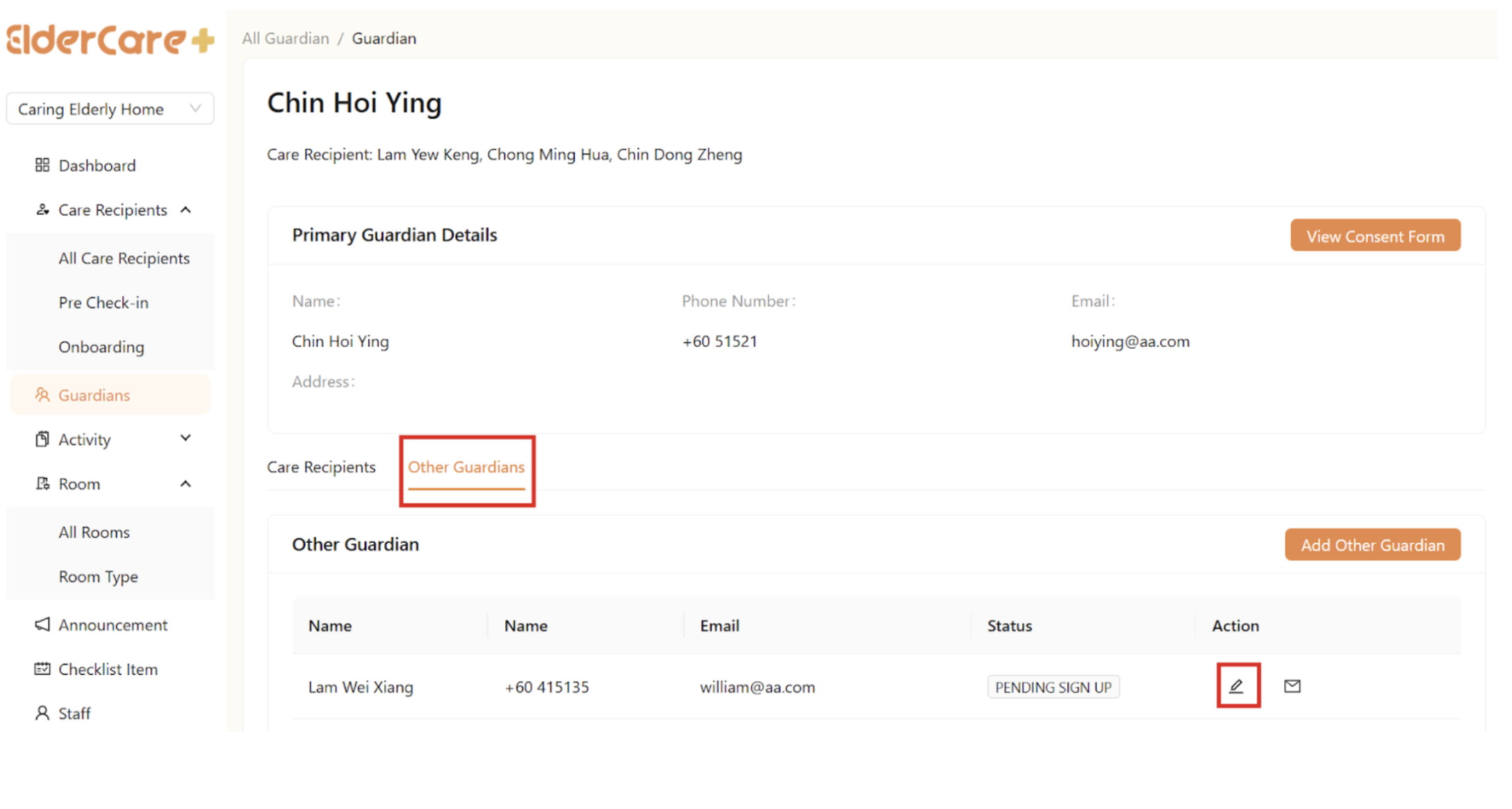
- Click on the “View Profile” icon
- Click “Edit Profile” under “Other Guardians”, then click “Save” after changes made
How to Add Other Guardians Under the Guardian
- Click on the “View Profile” icon
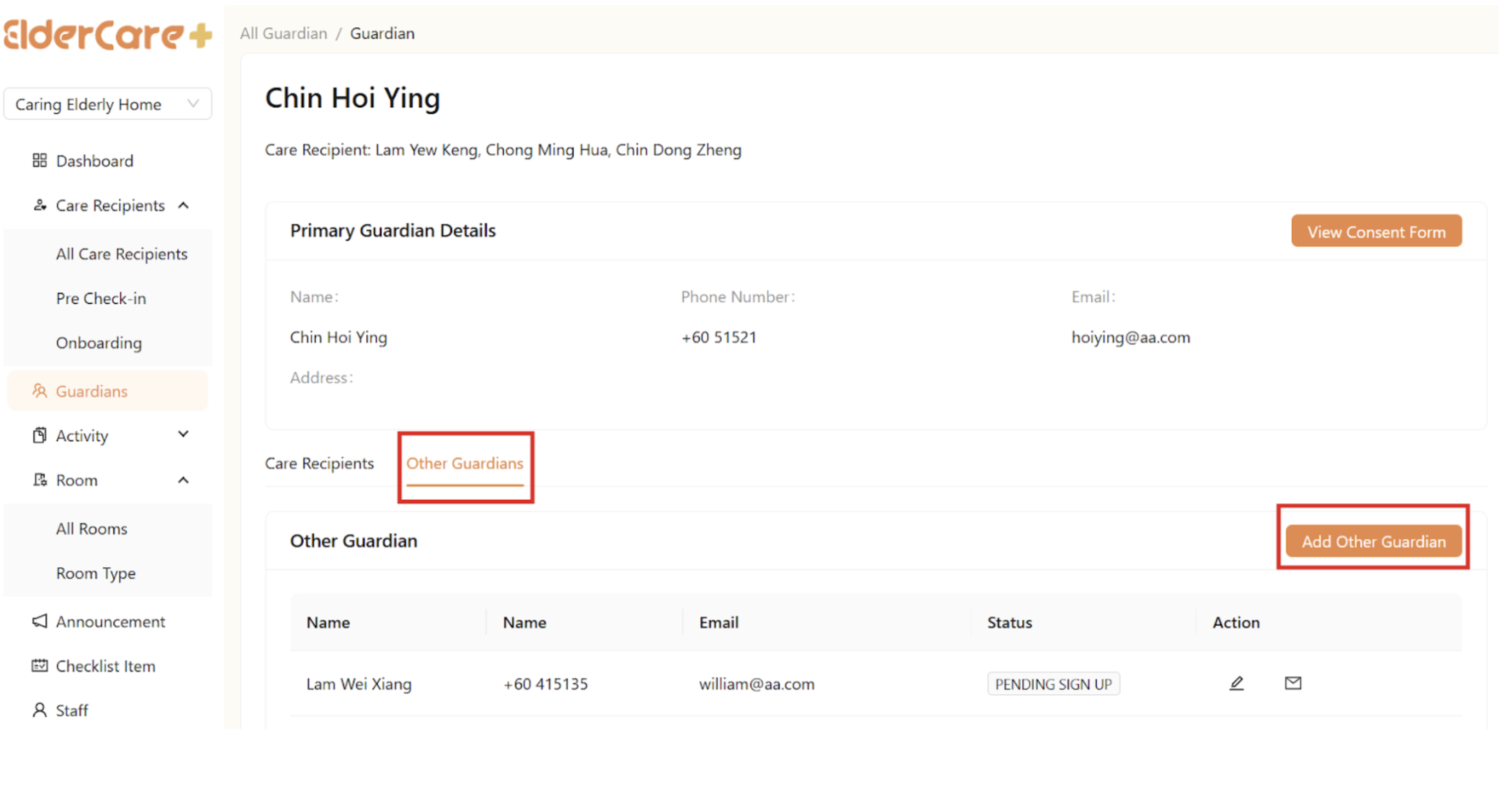
- Click “Add Other Guardian” under “Other Guardians”
- Fill in the required fields, then click “Save”
- An invitation link is sent to the guardian
How to Resend Invitation Link to Pending Sign Up Guardians
- Click on the “Resend Invitation Link” icon, then click “OK”
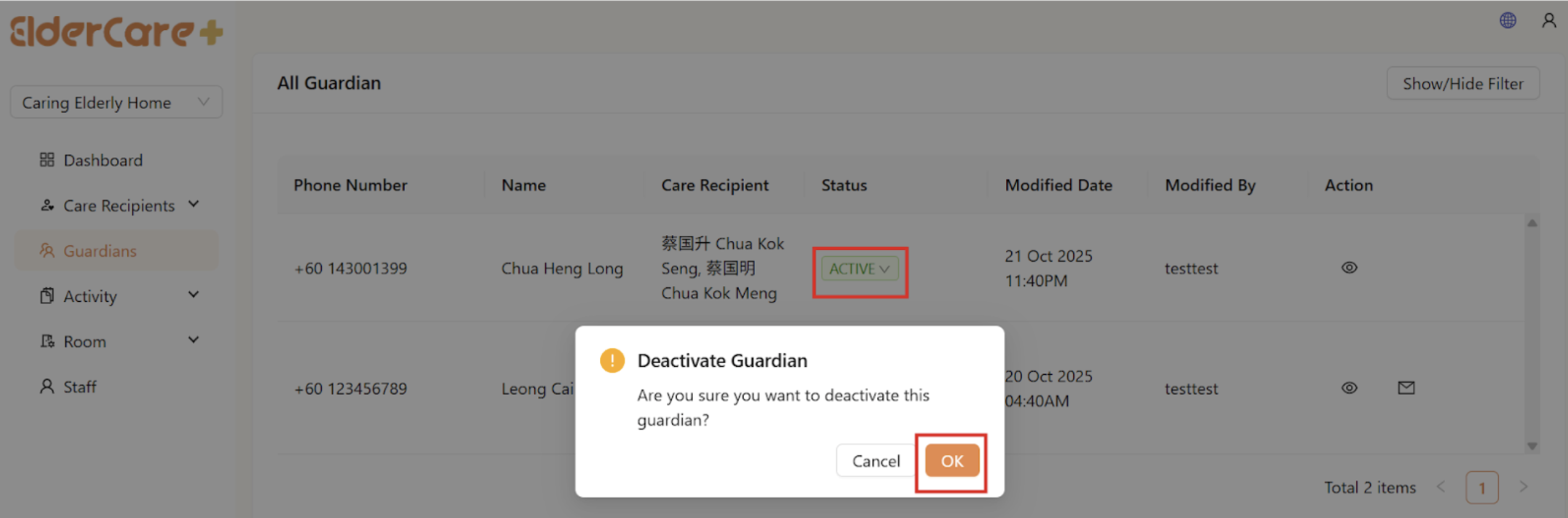
How to Deactivate Guardians / Other Guardians
- Click “Active” under status, then click “OK”
- The guardians/other guardians’ status is switched to “Inactive”
- Inactive guardians/other guardians are unable to login
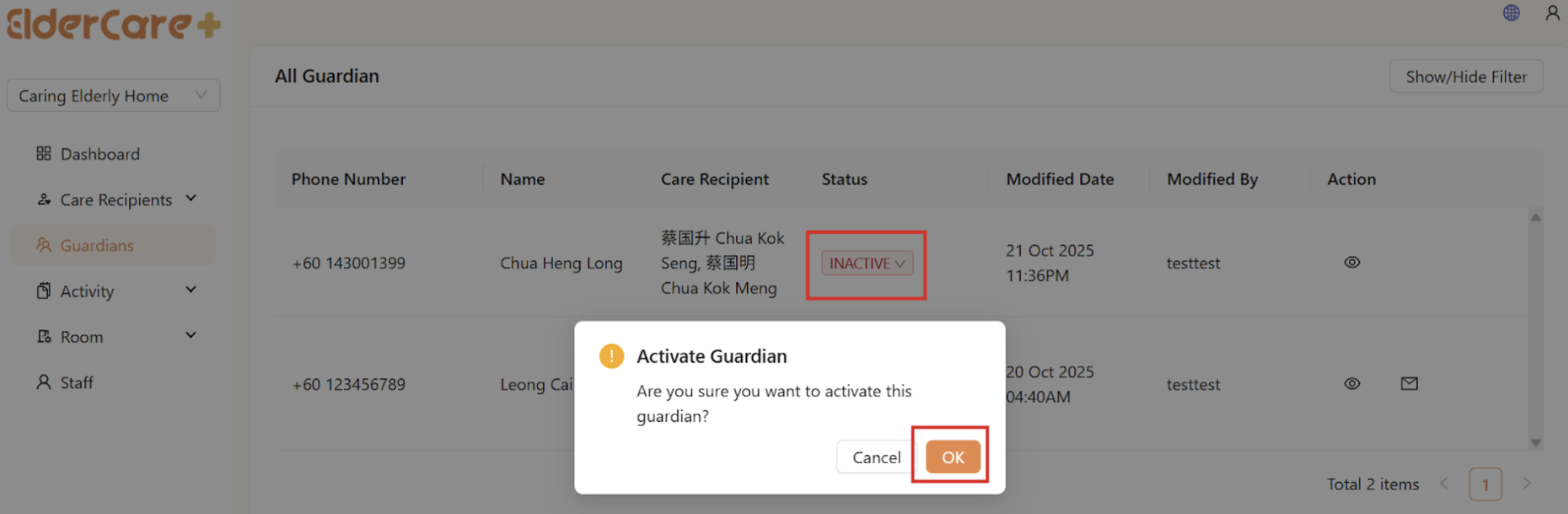
How to Activate Guardians / Other Guardians
- Click “Inactive” under status, then click “OK”
- The guardians/other guardians’ status is switched to “Active”