Create Report
How to Create Report
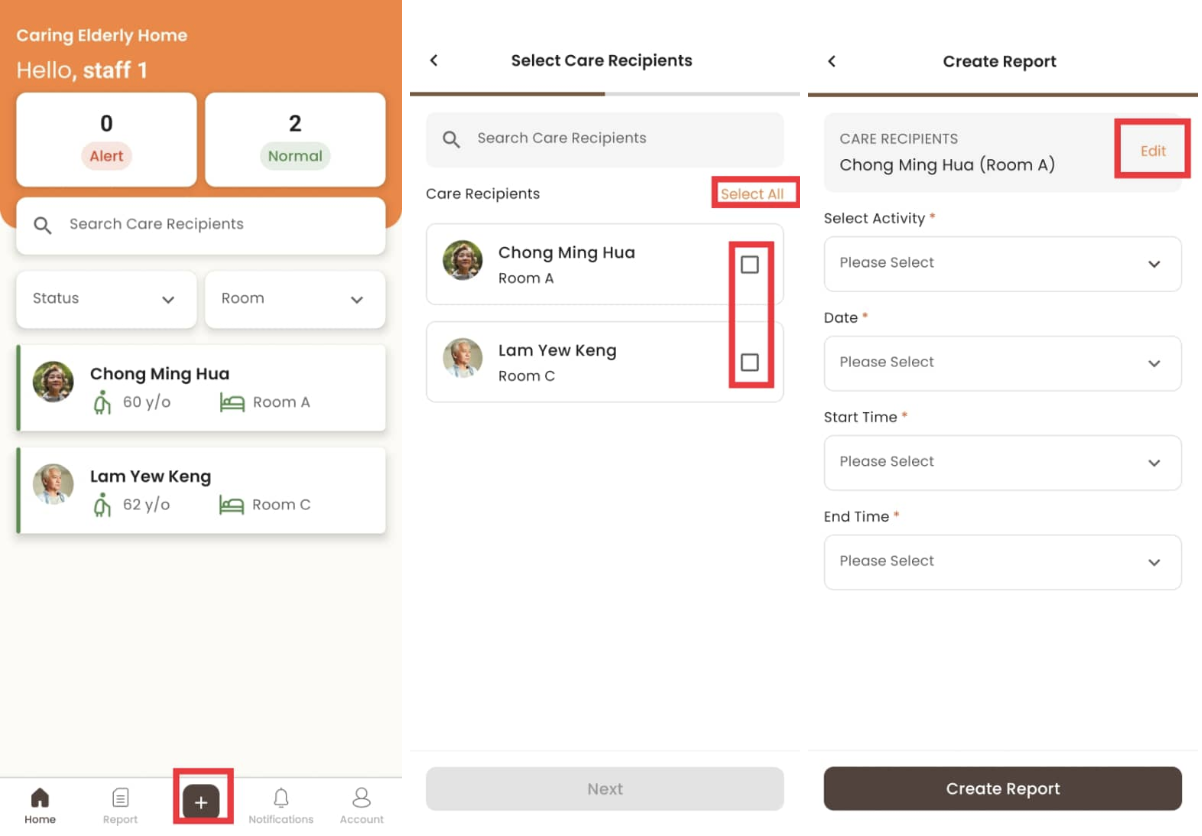
- Click “+”
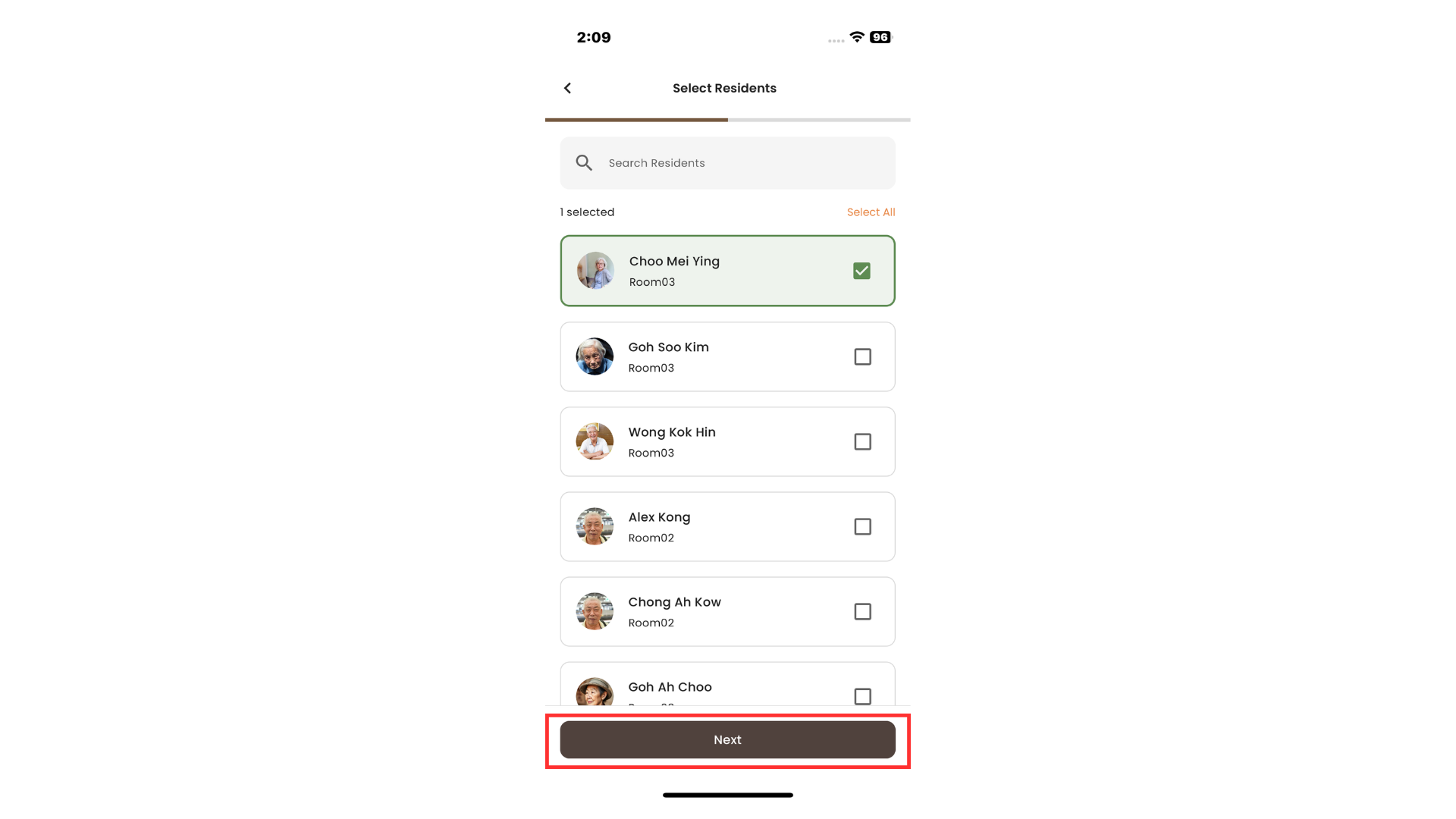
- Click on the tickbox to select the care recipients involved or click “Select All”, then click “Next”
- The selected care recipients are editable by clicking “Edit”
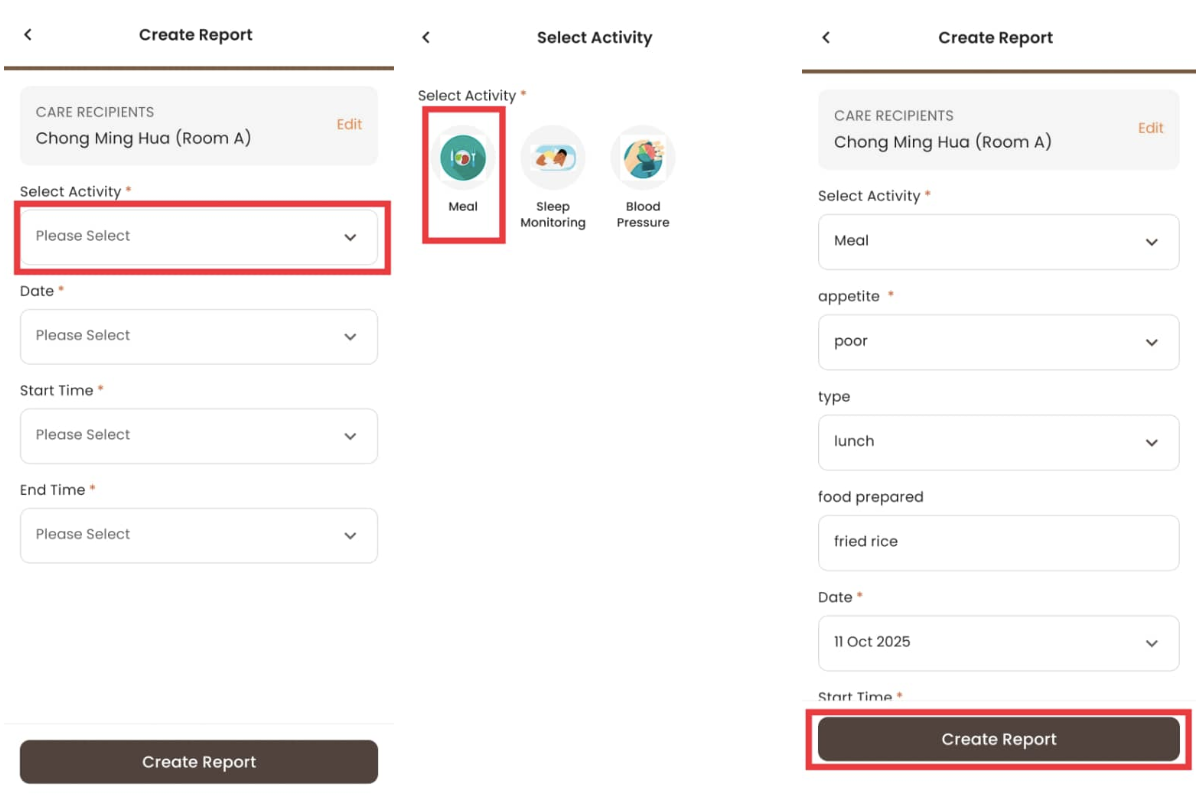
- Click “Select Activity” and select the activity to record
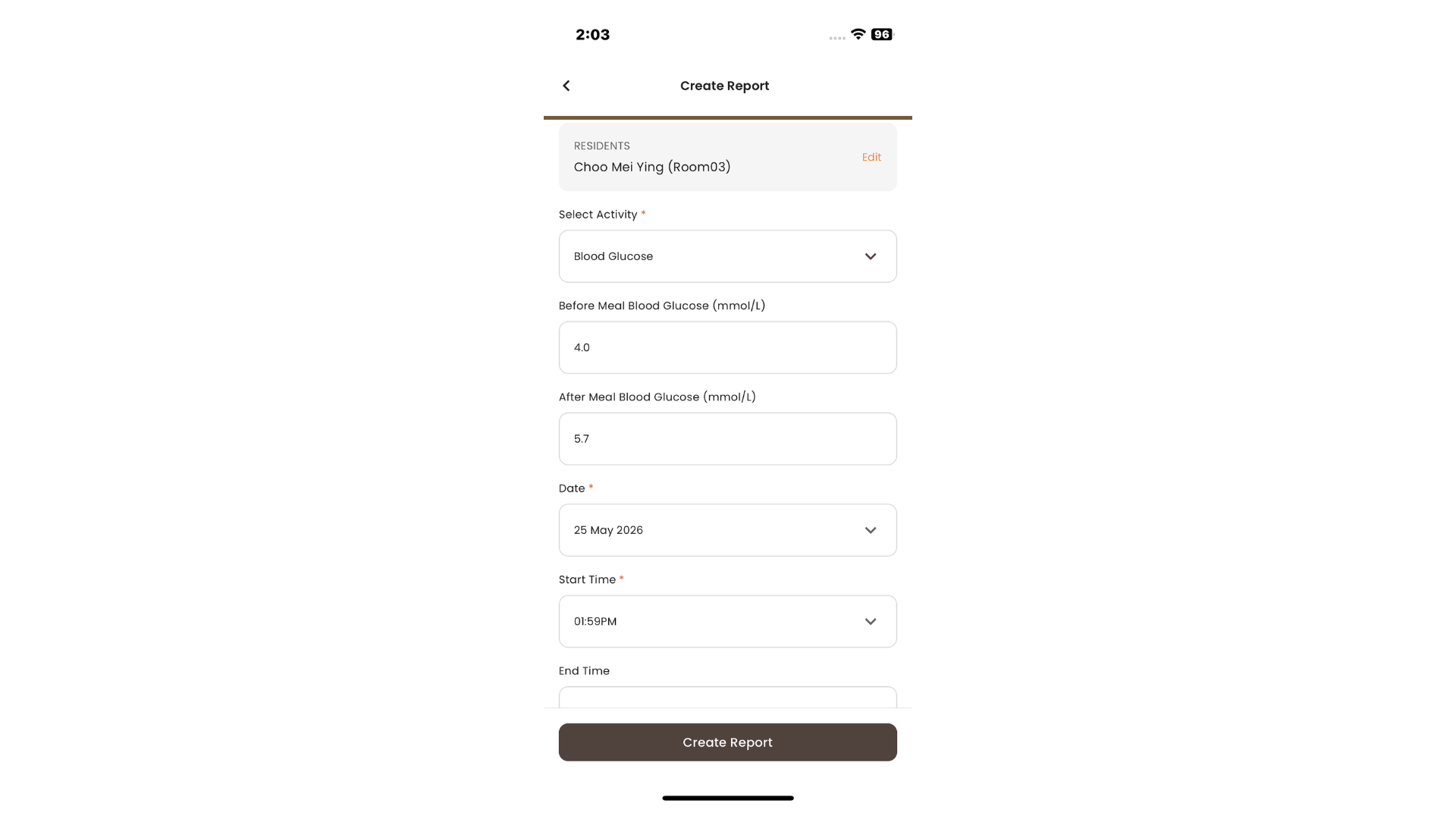
- Fill in the required fields, then click “Create Report”
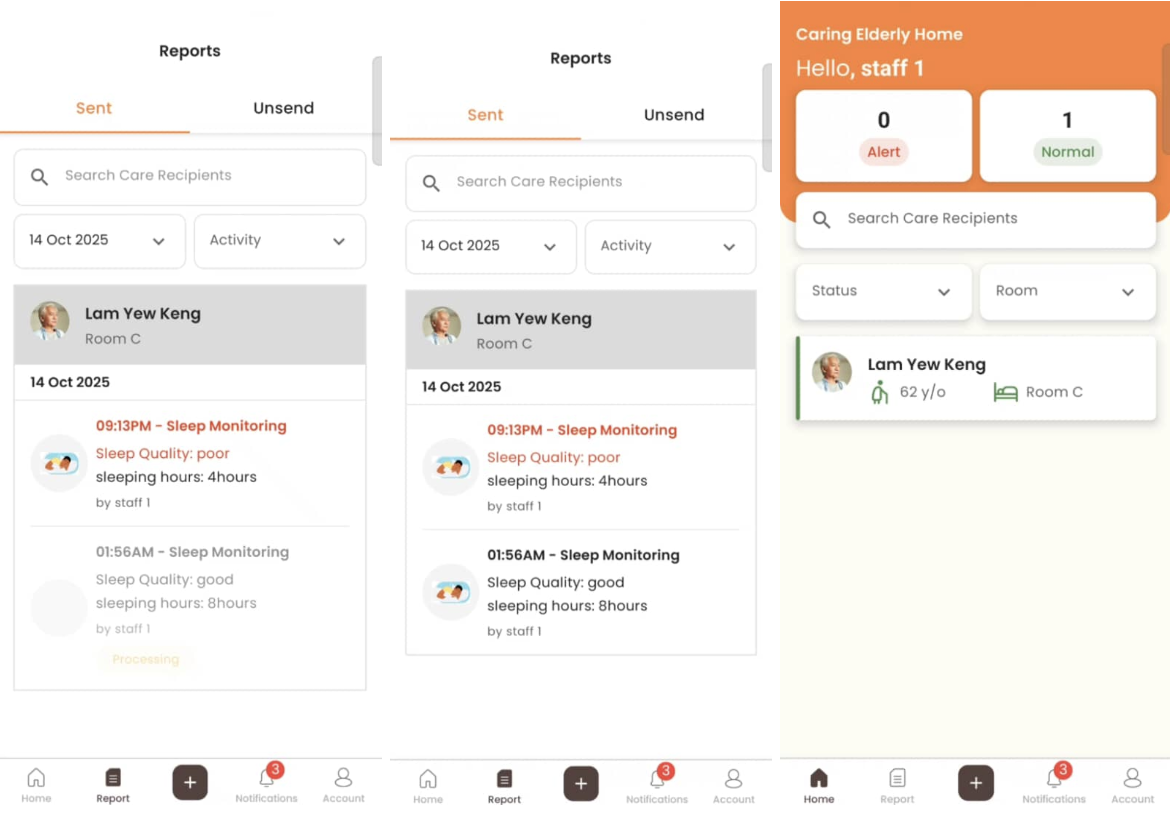
- The created report is drafted in “Unsend Report”
How to Resolve Care Recipient’s Alert
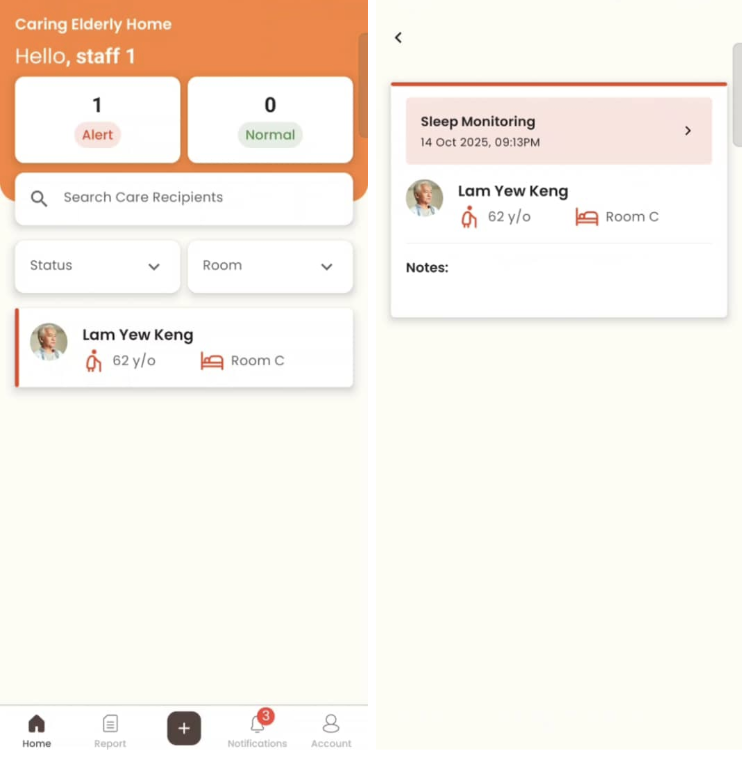
- When a new report without alert triggered is sent, the care recipient’s alert is resolved
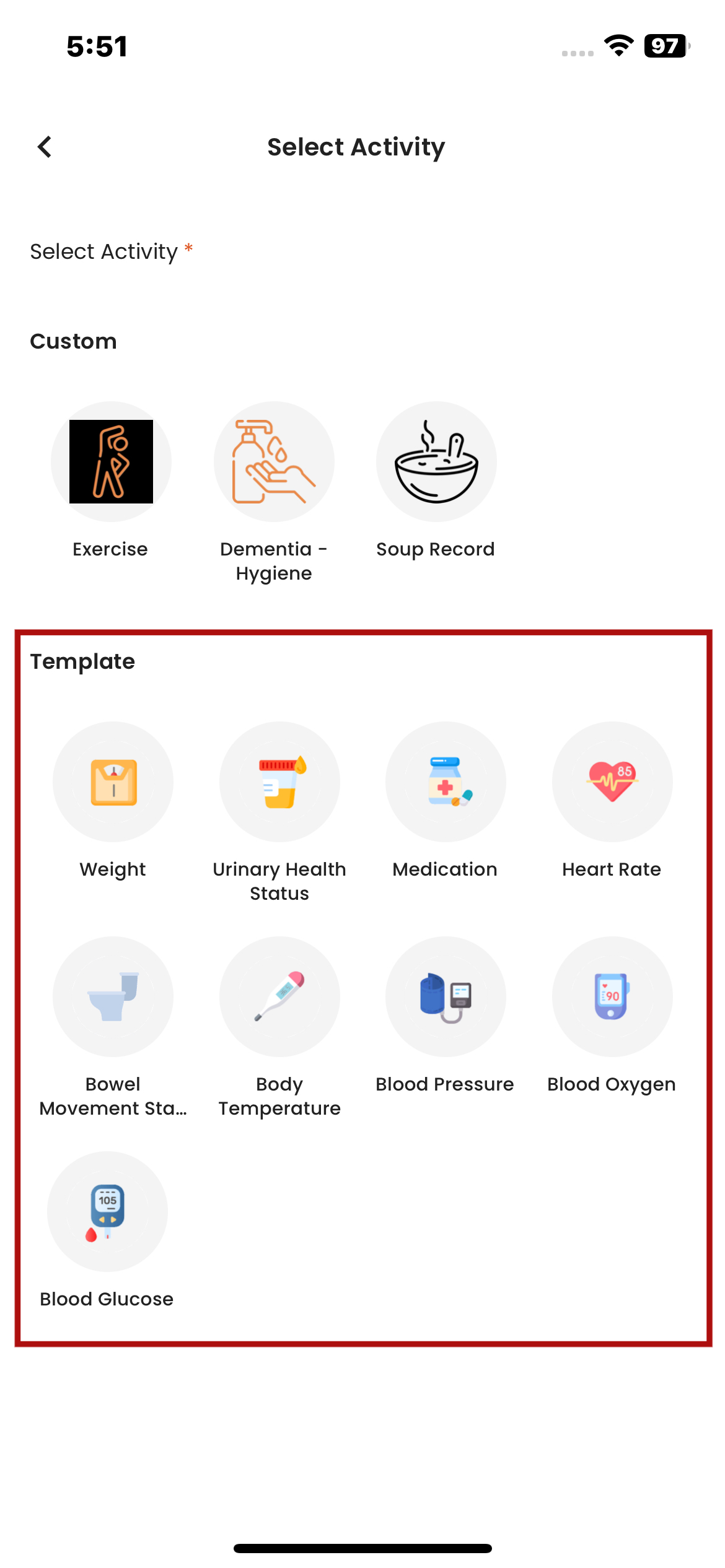
How to Create Report with Activity Template
- When creating a report using the Activity Template, the workflow follows the same steps as creating a regular activity report
- The only difference is that, when selecting an activity, a new field appears allowing staff to choose an Activity Template
- This ensures that all data is standardized according to the selected template for future medical reporting
How to Set Next Reminder
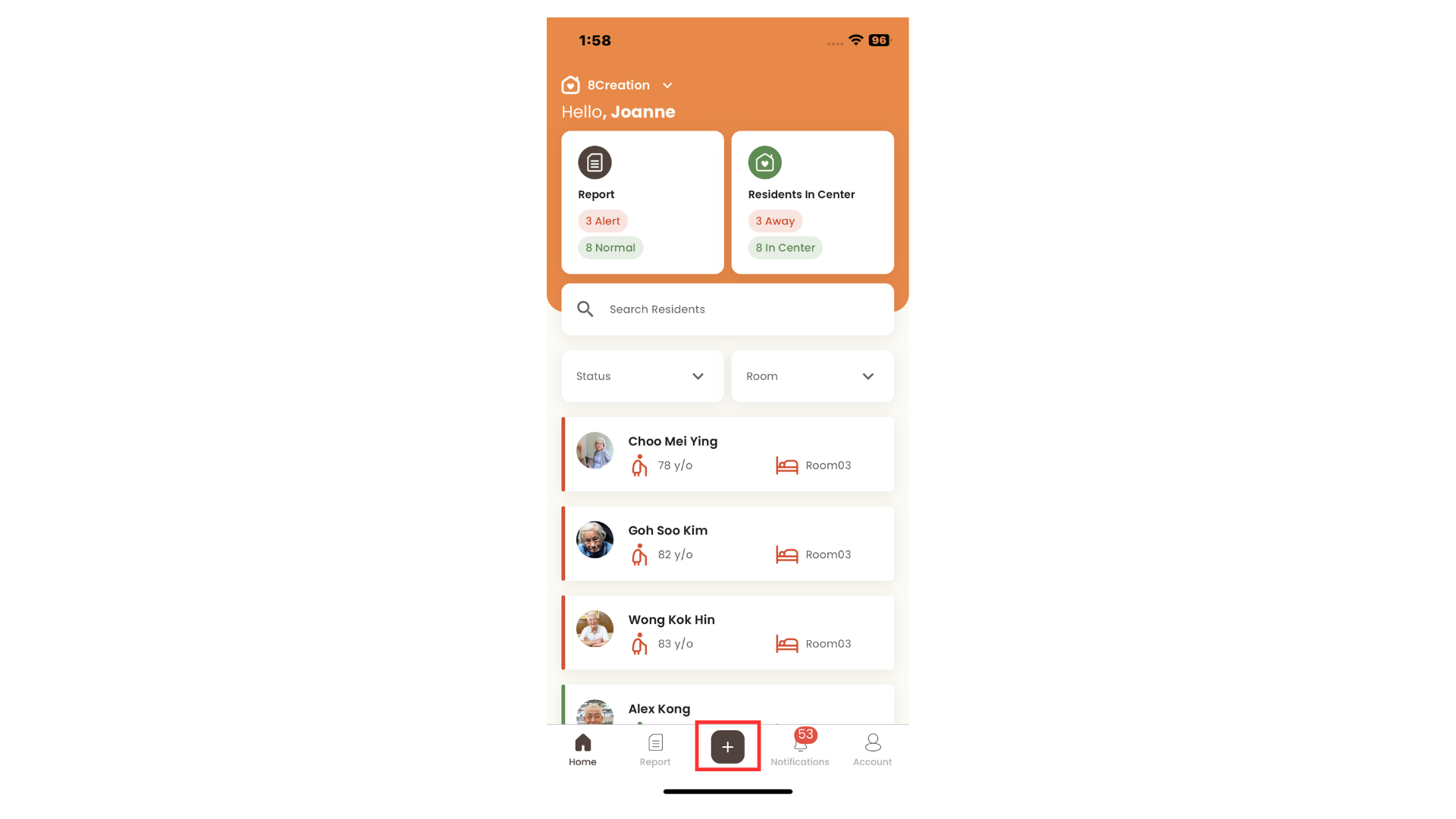
- Click "+"
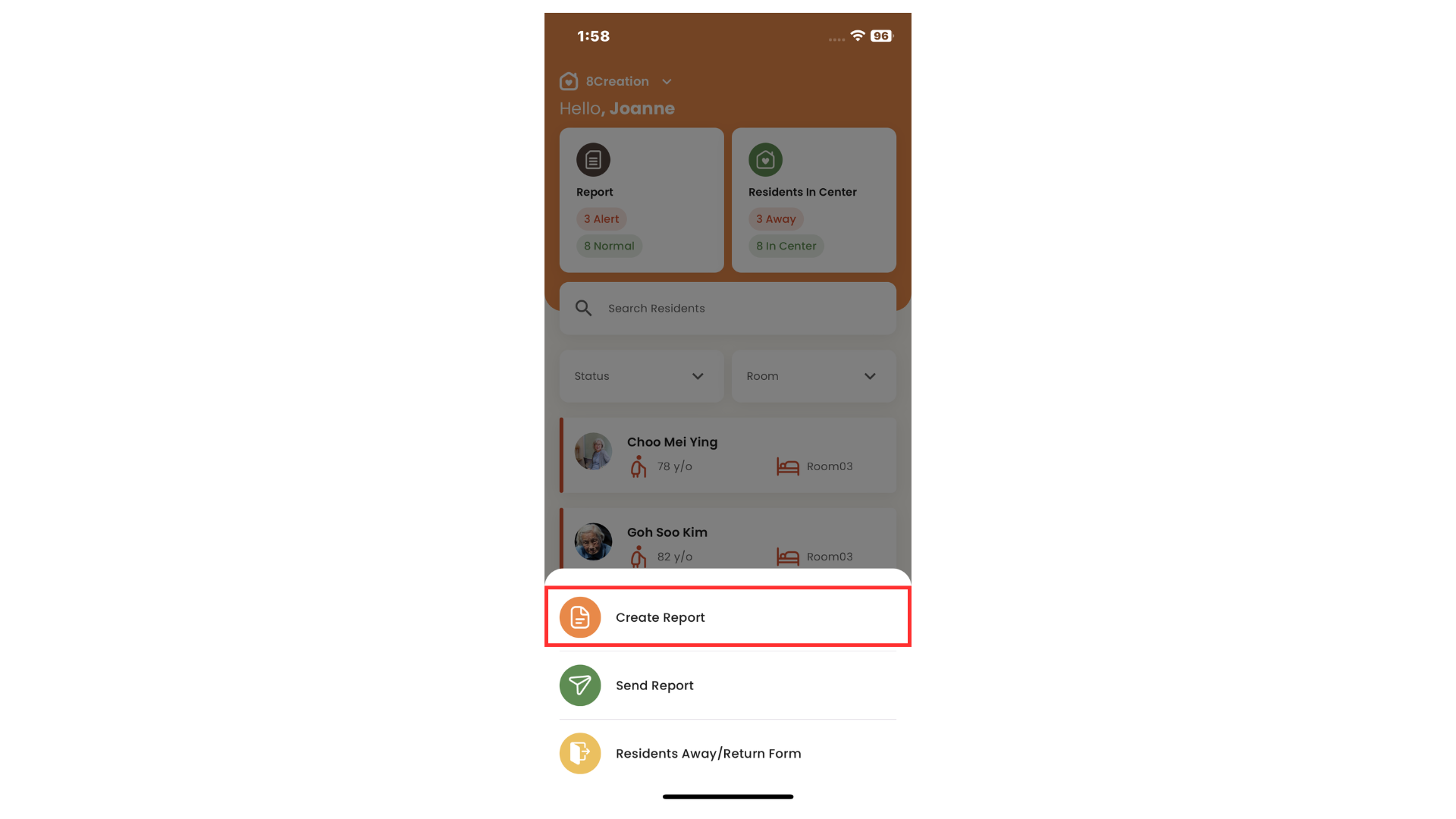
- Click Create Report
- Select one or more residents and click Next
- Fill in all required details
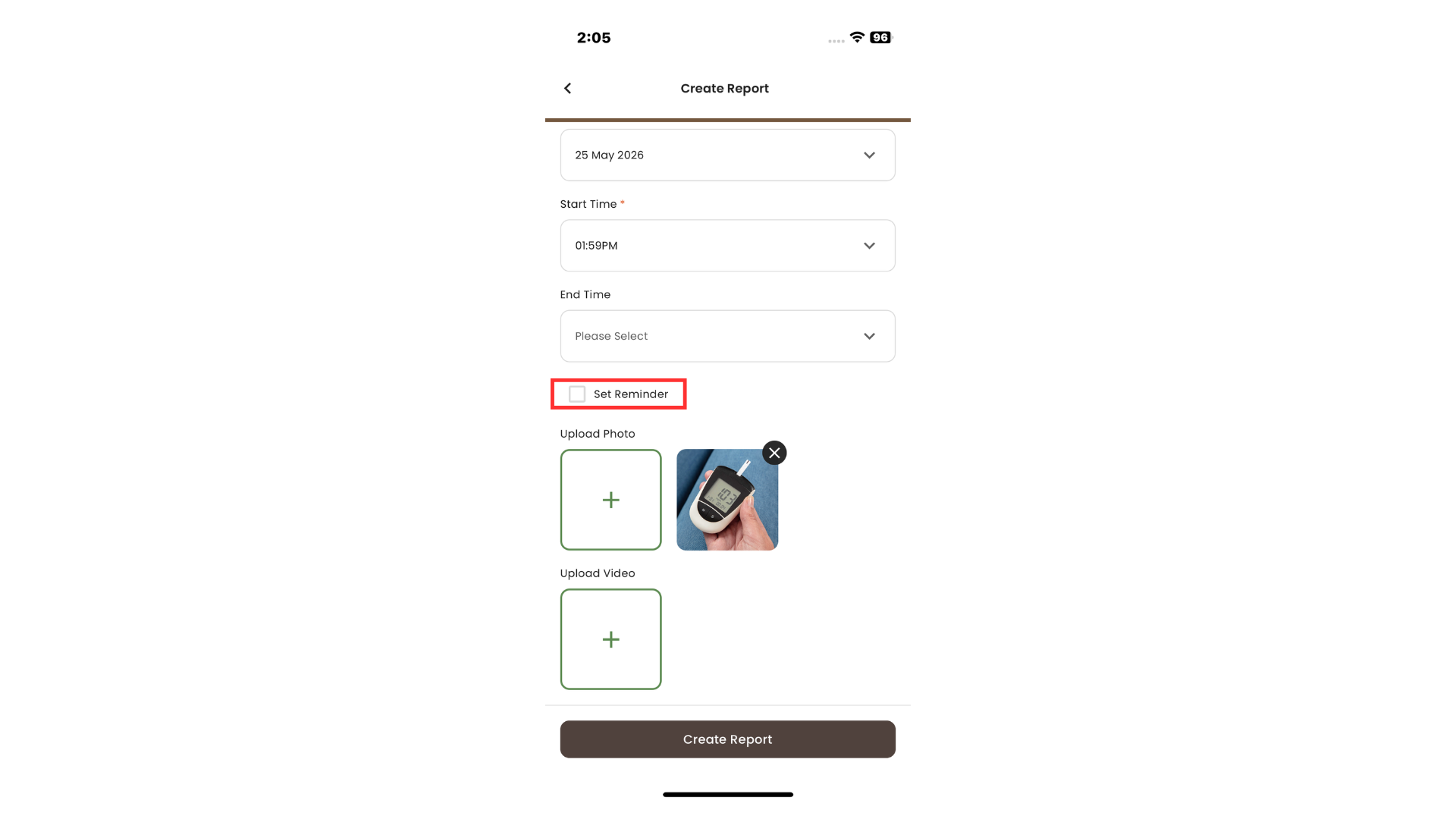
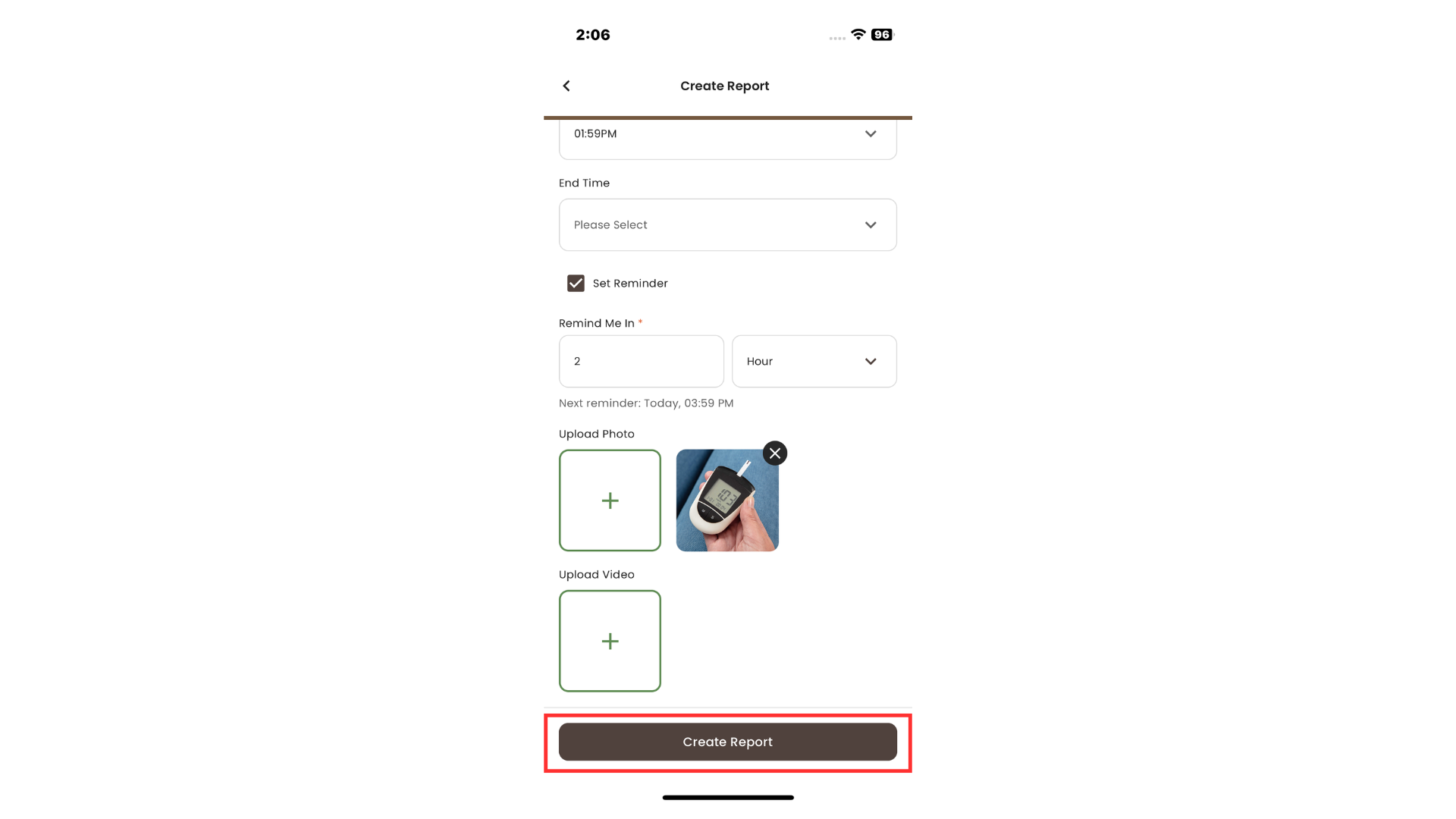
- Click on the Set Reminder tickbox
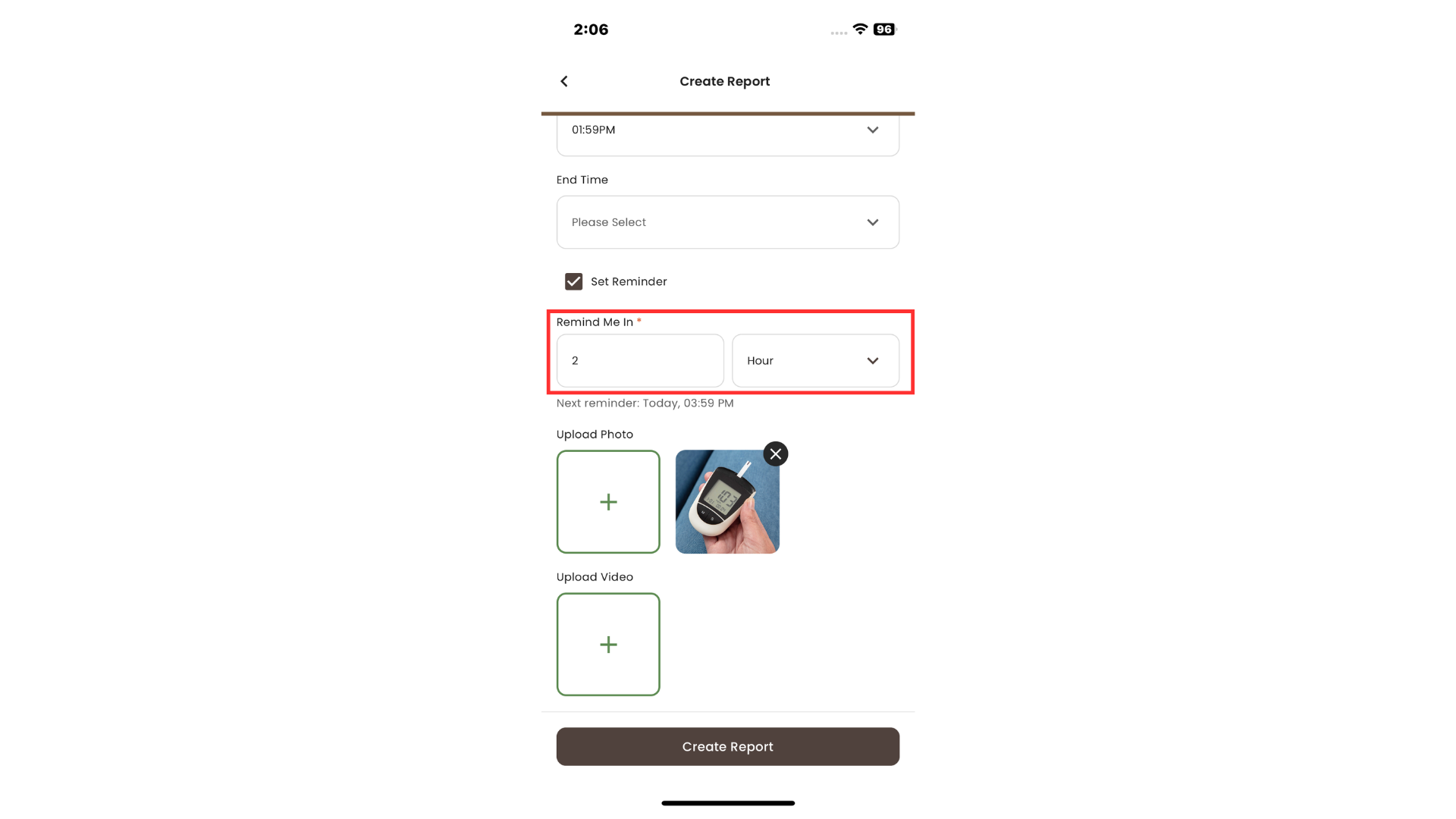
- Choose hour or day from the dropdown list
- Click Create Report button
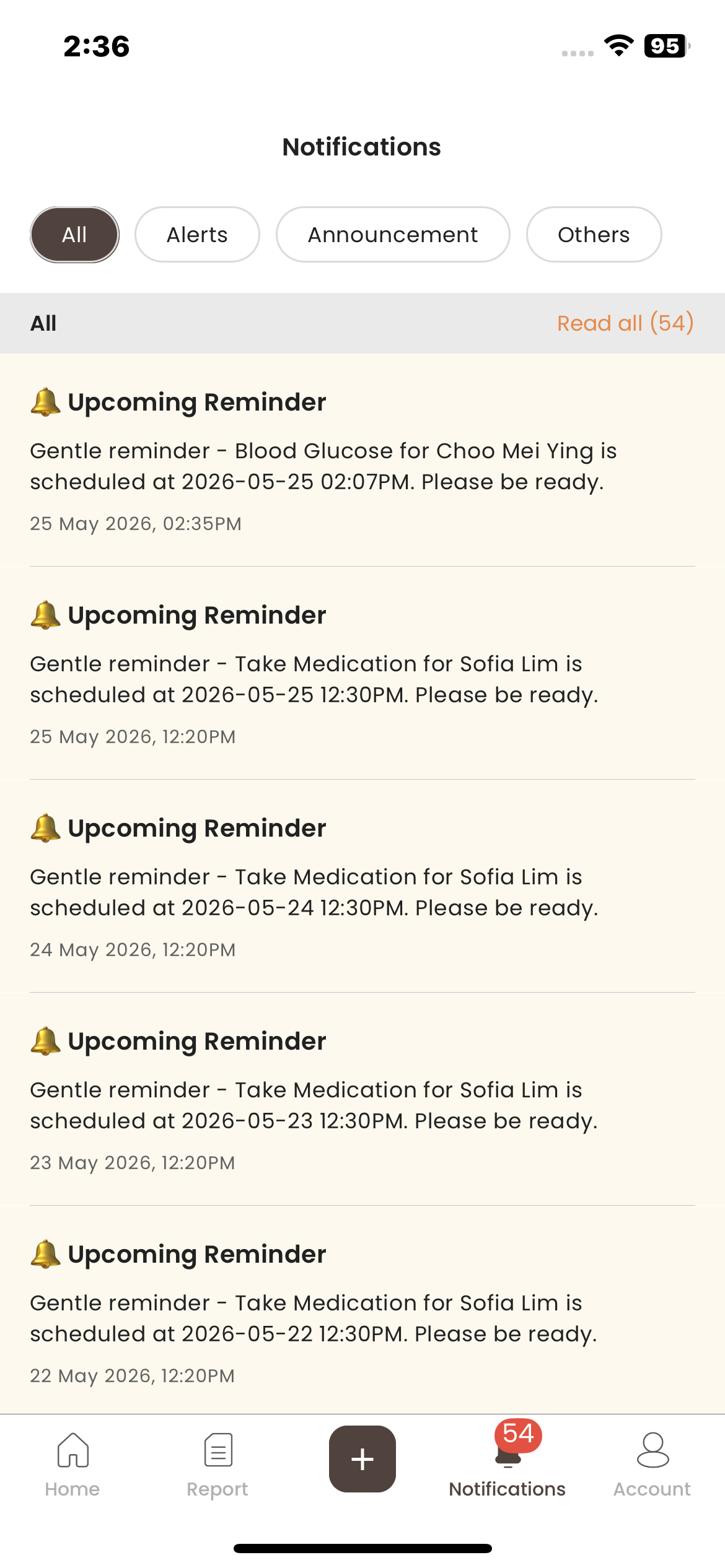
- Appear in Notifications tab
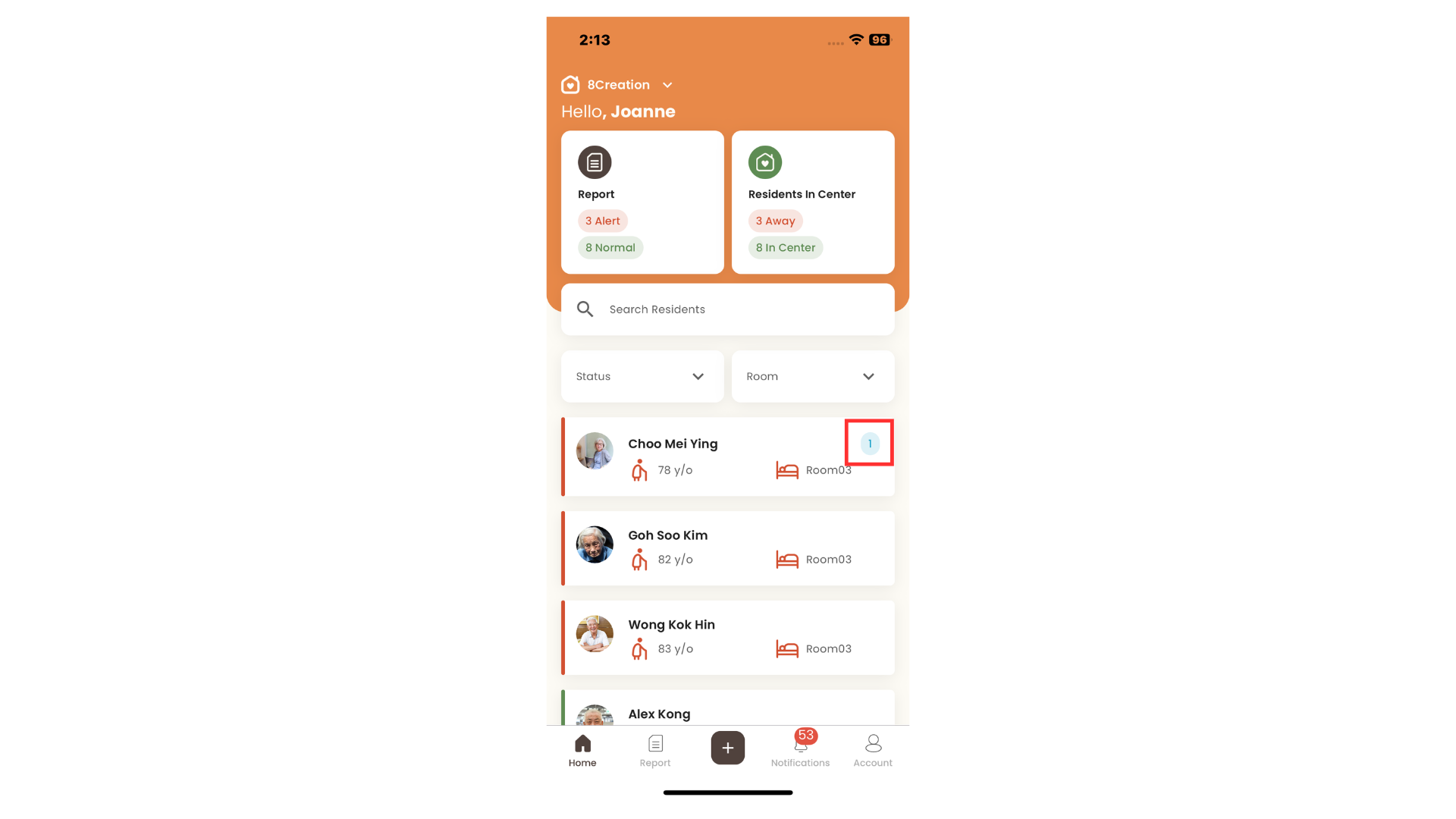
- View on the reminder count in the Home Page
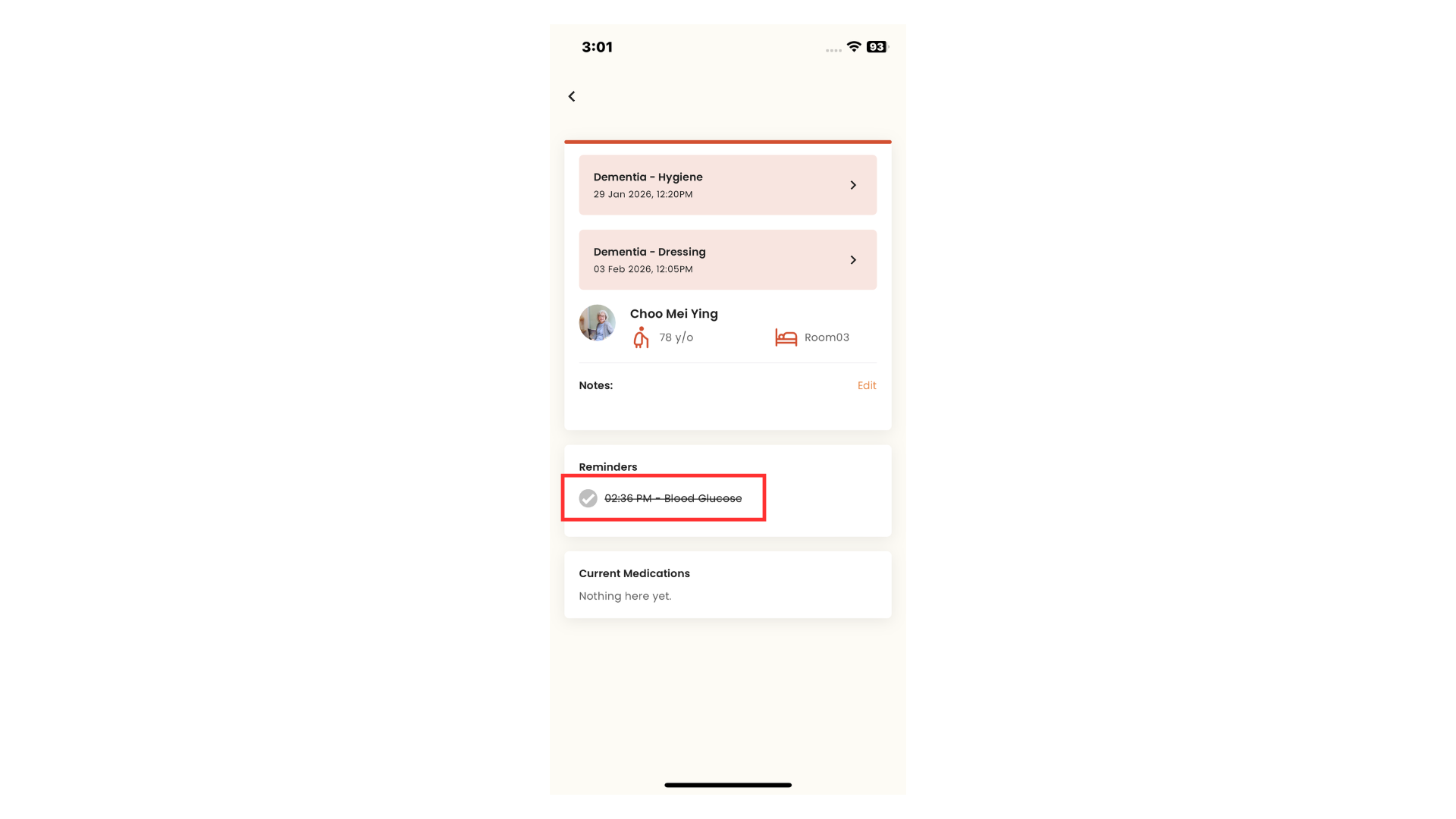
- Appear in Reminders section
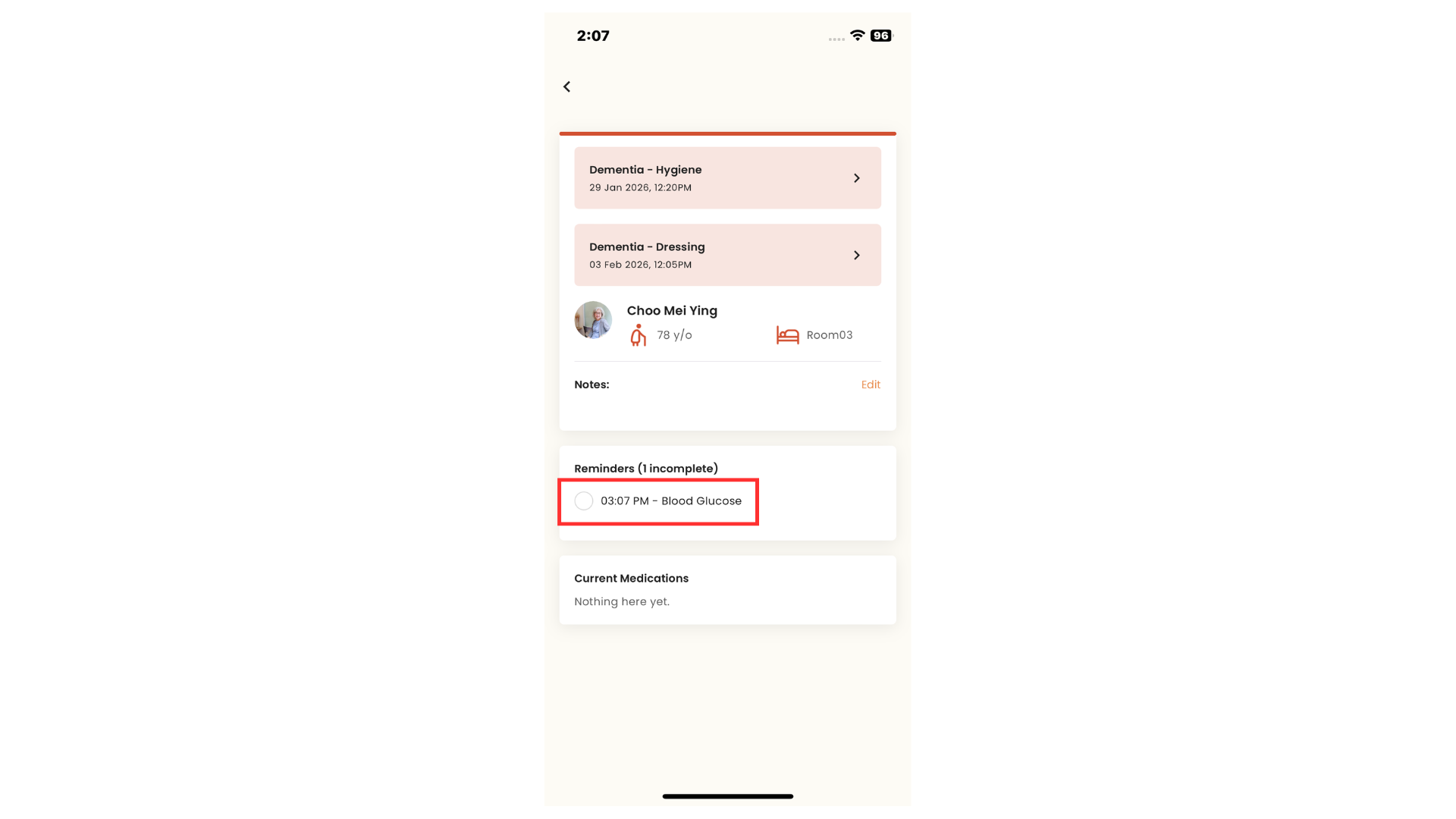
- Complete the reminder
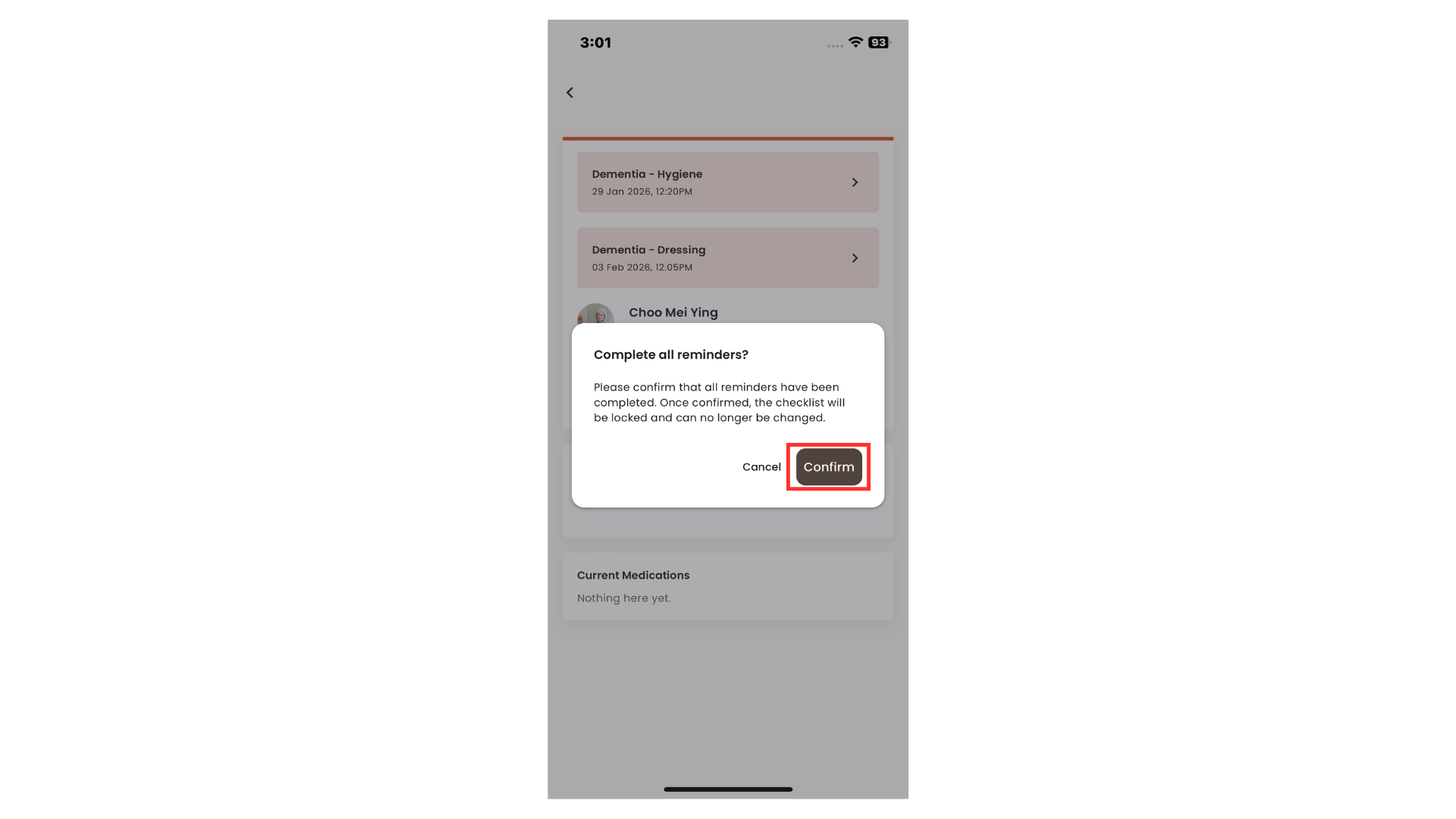
- Reminder appeared as "Completed" and cannot be untick anymore