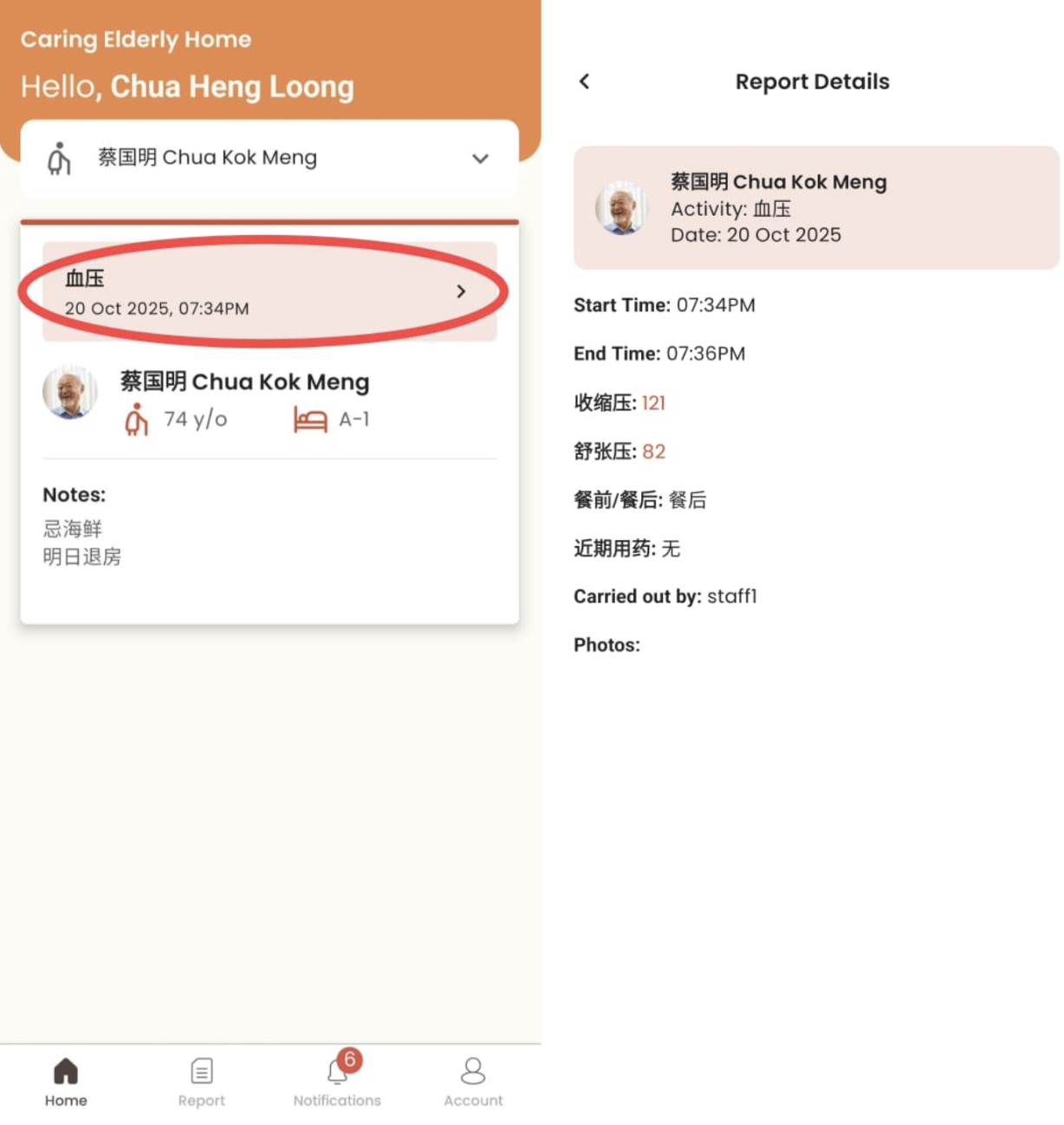
Home
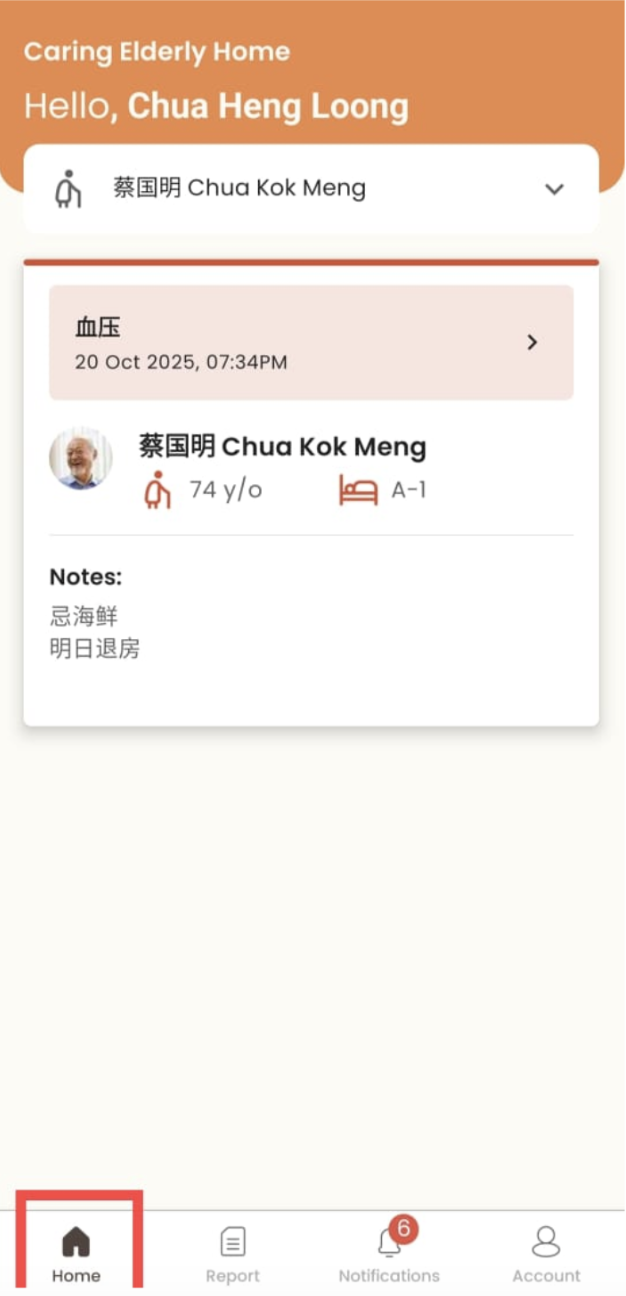
How to Differentiate Normal Care Recipients and Care Recipients Under Alert
- Normal care recipients are green in color
- Care recipients under alert are labelled in red
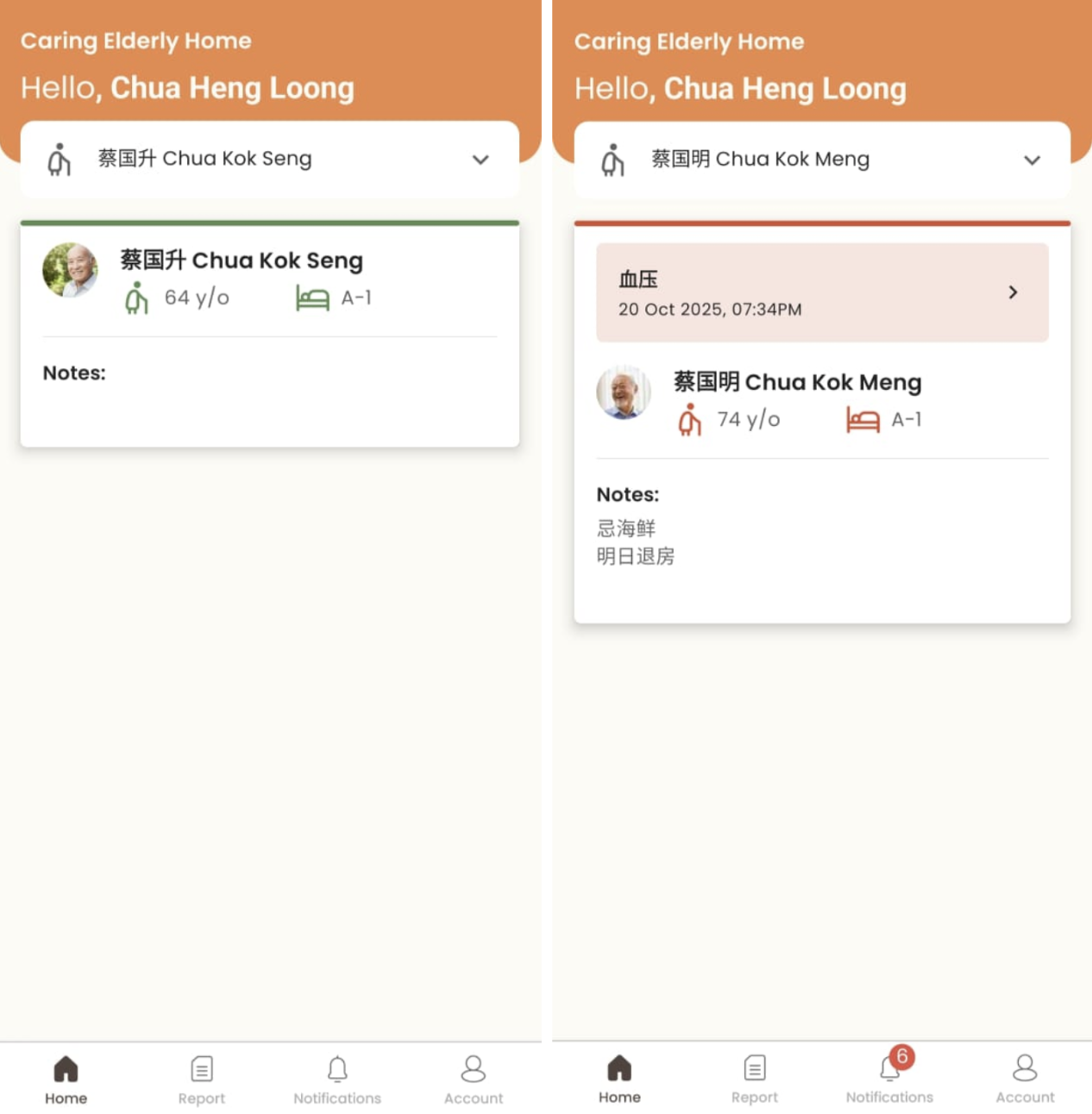
How to Switch Care Recipients
- Click on the care recipient dropdown
- Select a care recipient
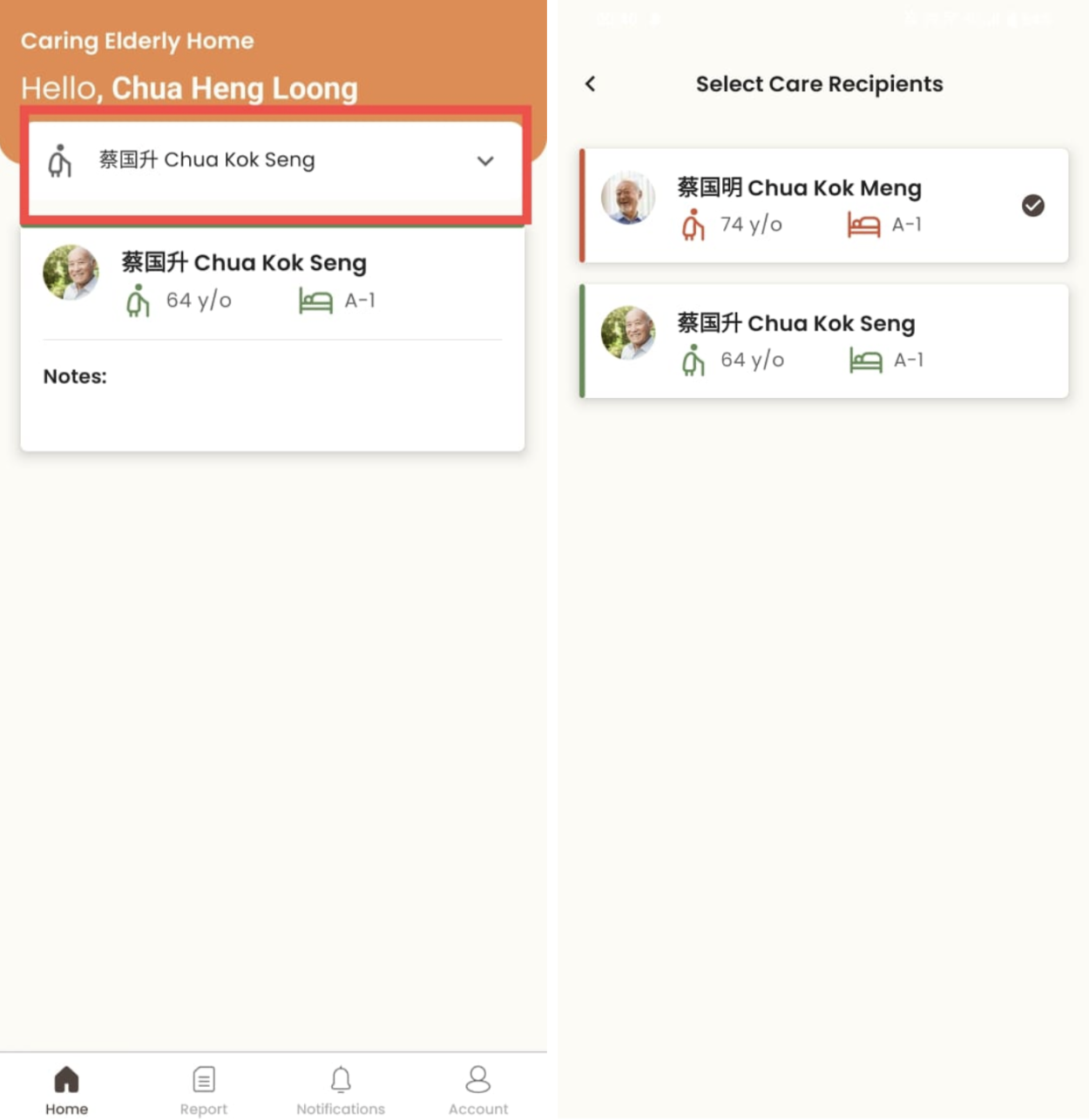
How to View Care Recipient’s Alert
- Click on the care recipient
- For care recipients under alert, click on the alert to view report details