How to Onboard Care Recipients
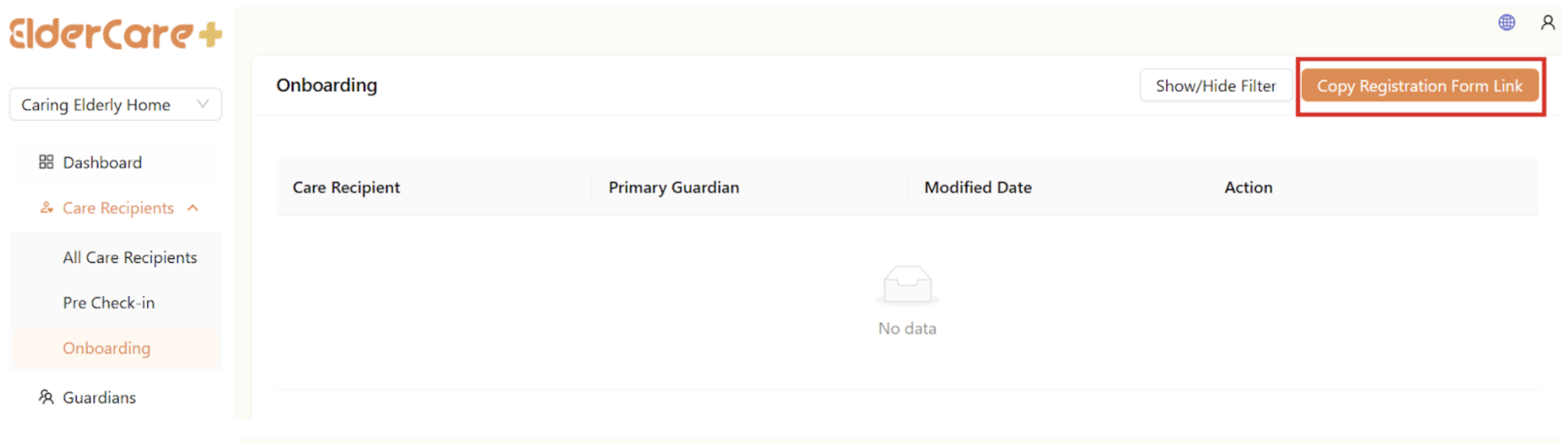
- Location: Care Recipients -> Onboarding
- Click “Copy Registration Form Link” and send to guardian
- After guardian complete and submit the form, the care recipients will appear in the system
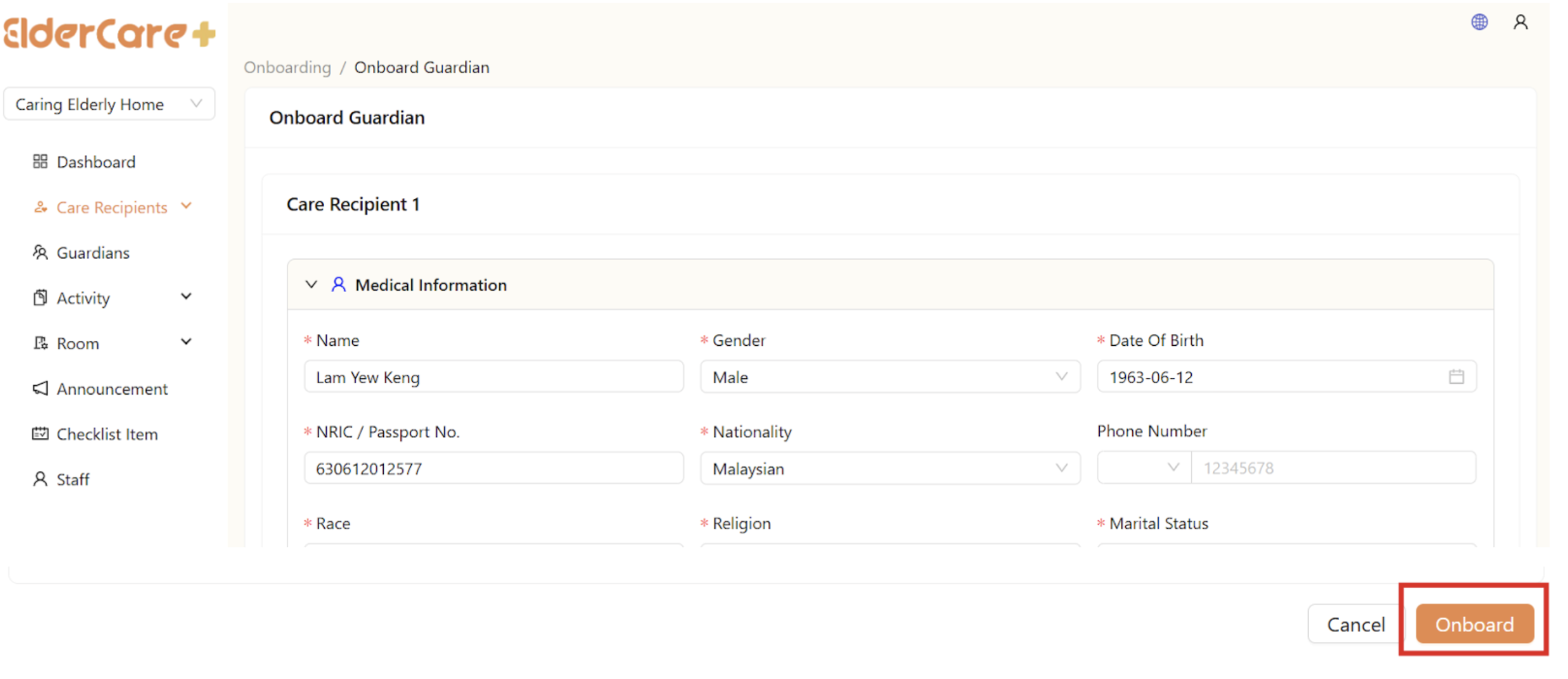
- Click the “Approve” icon, review the registration form and edit when needed
- Click “Onboard”, the care recipients will move to “Pre Check-In”


How to Check In Care Recipients
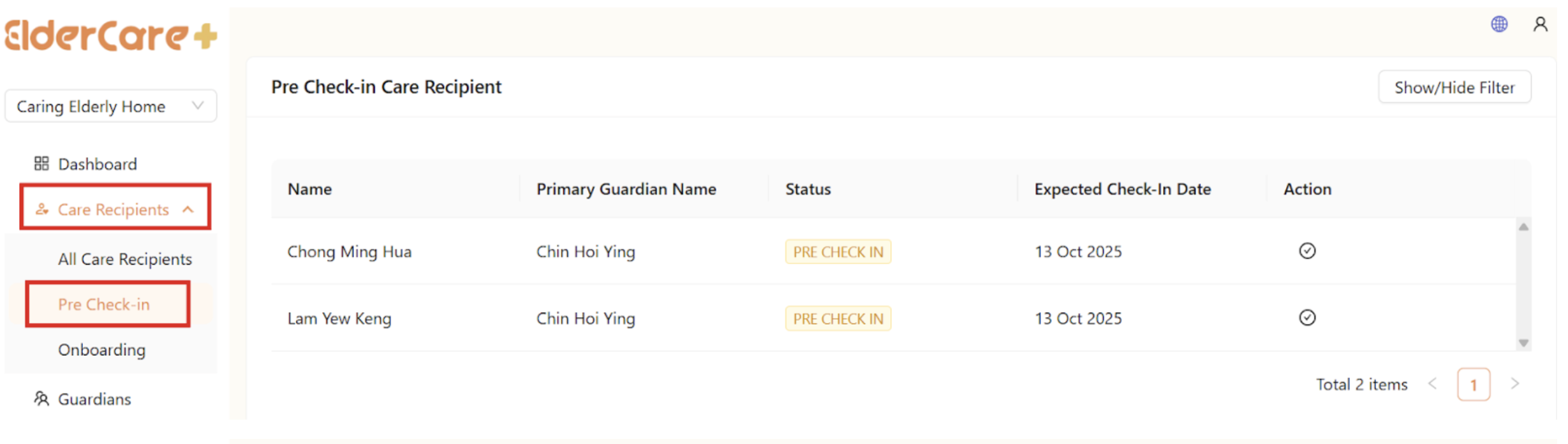
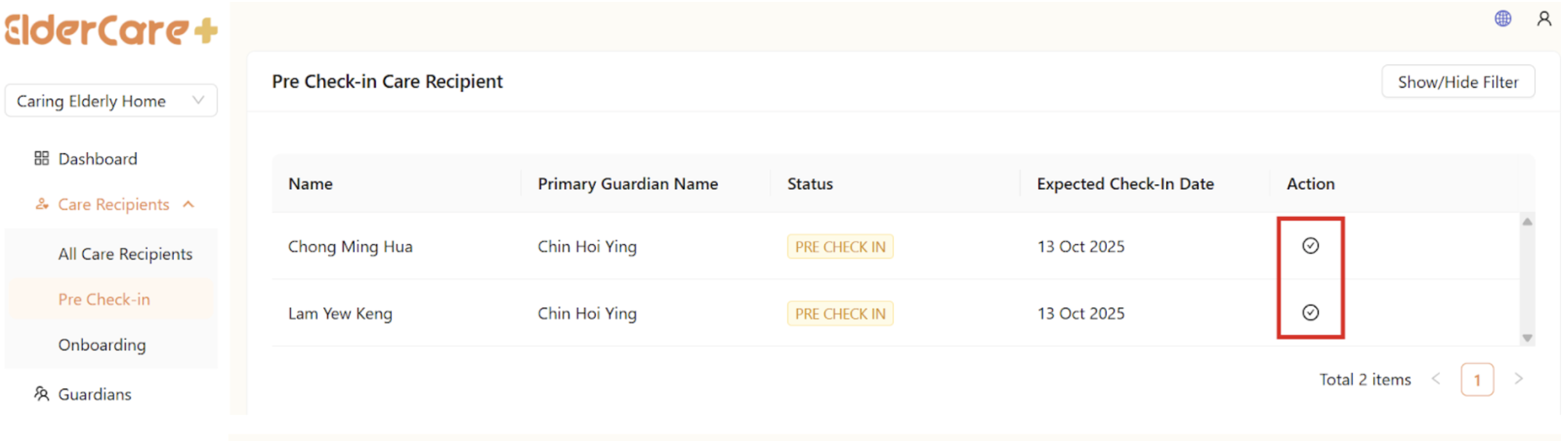
- Location: Care Recipients -> Pre Check-In
- Click on the “Check In” button, review the registration form and edit if needed
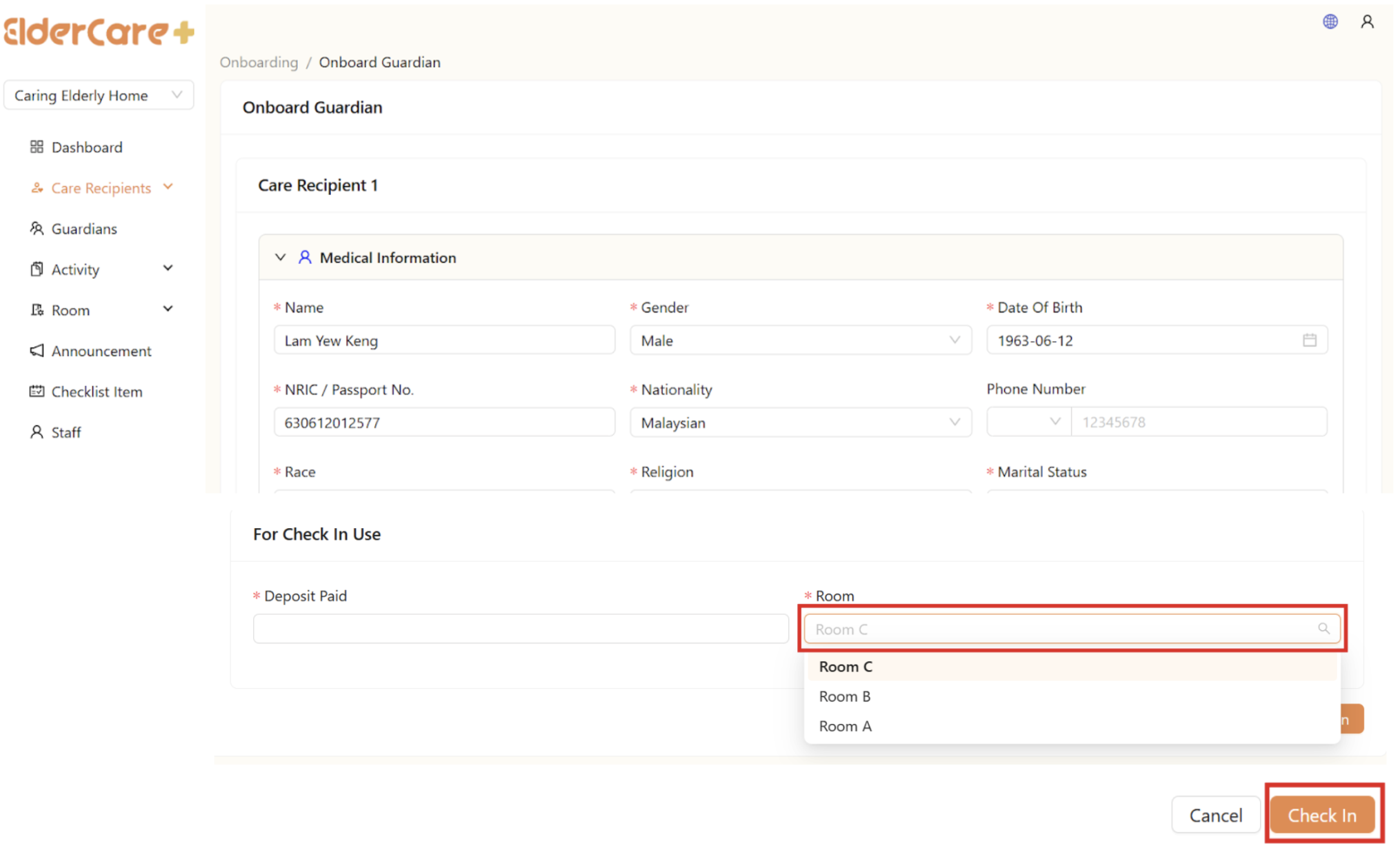
- Fill in the Check In Form, assign a room to the care recipient
- Click “Check In”, the care recipients will move to “All Care Recipients”
How to Monitor Checked In Care Recipients
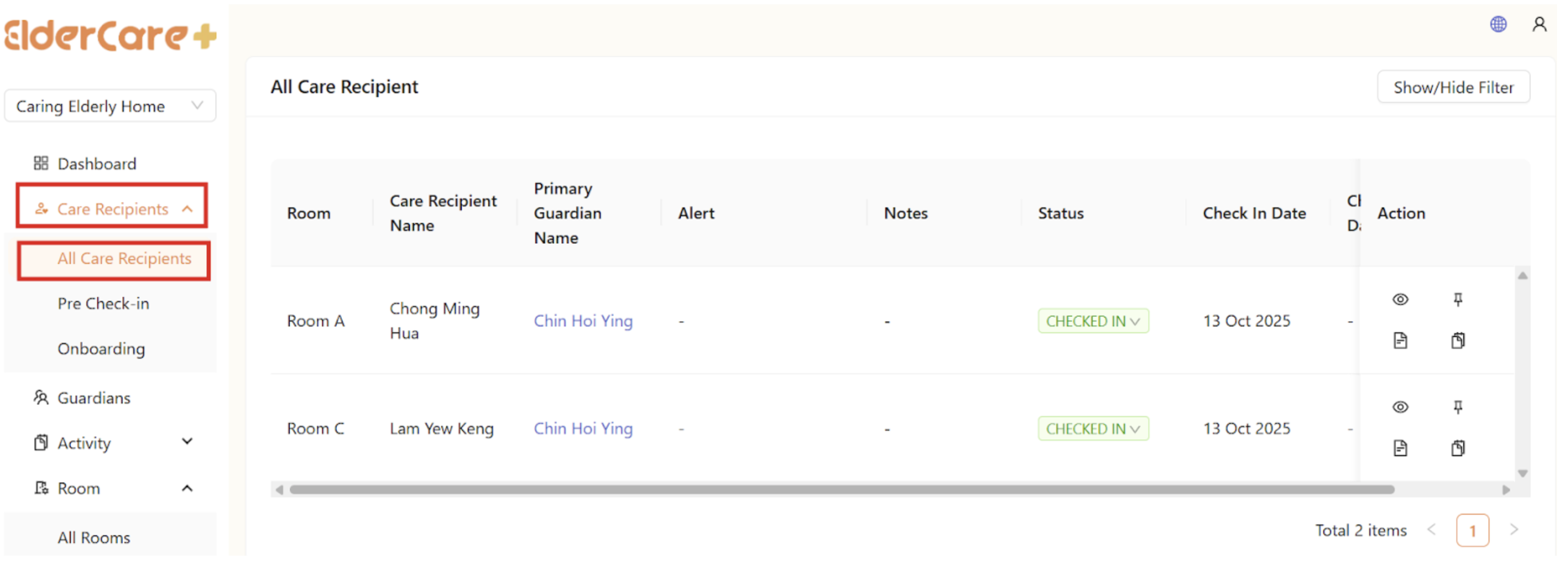
- Location: Care Recipients -> All Care Recipients
- Care recipient’s name will be highlighted in red when alert triggered
How to View Care Recipient's Profile
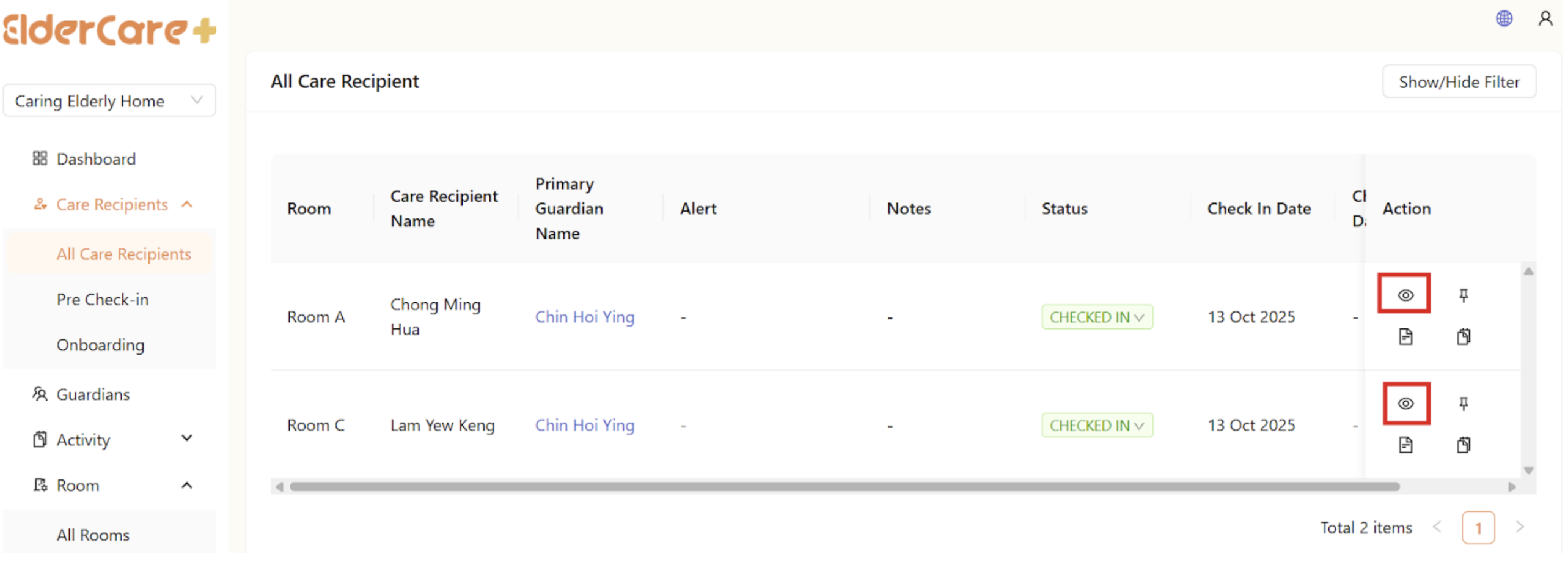
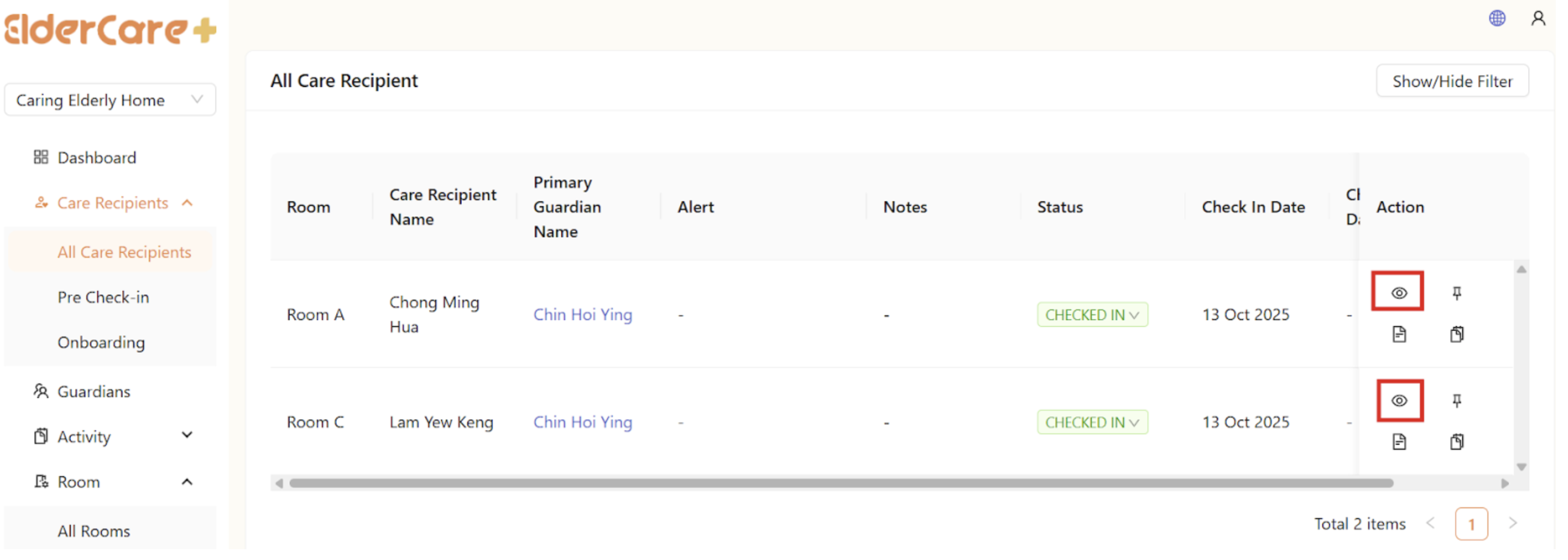
- Location: Care Recipients -> All Care Recipients
- Click on the view profile icon
How to Edit Care Recipient's Profile
- Location: Care Recipients -> All Care Recipients
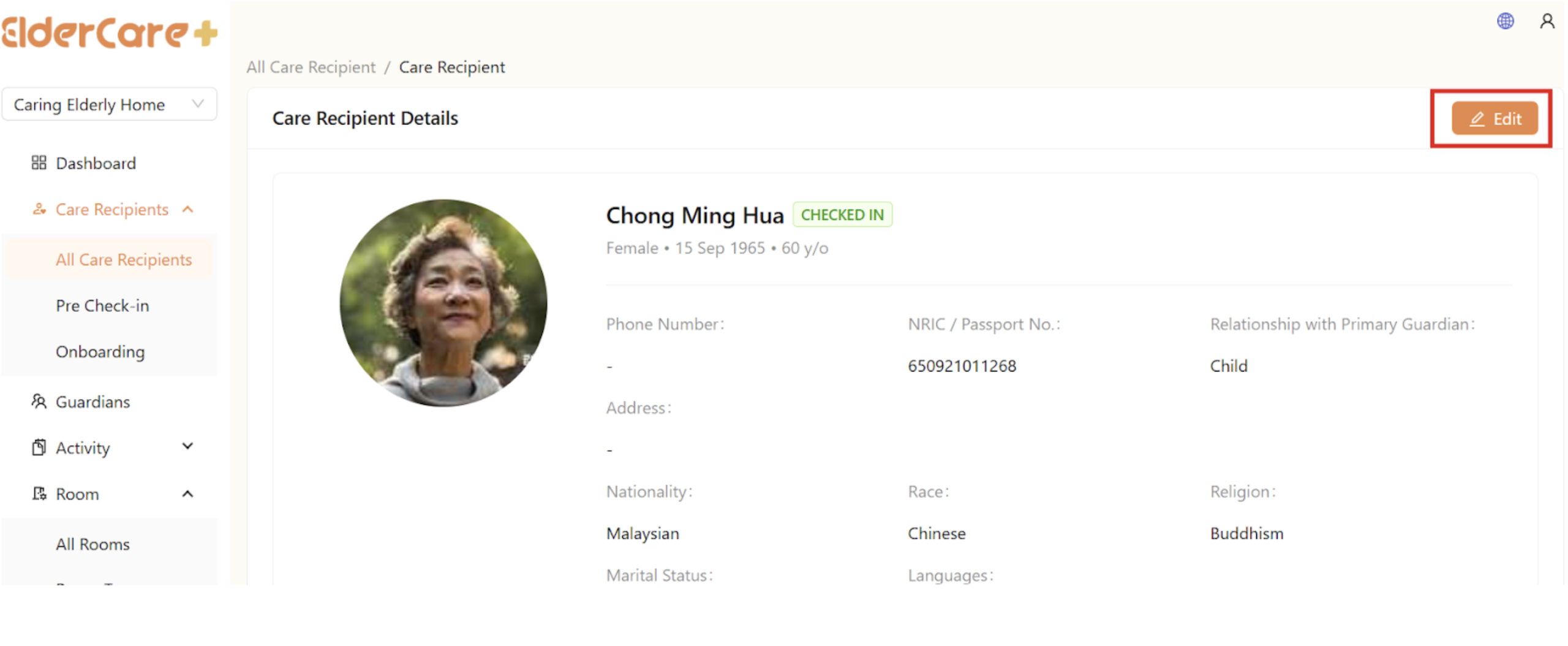
- Click on the view profile icon
- Click “Edit”
- Make changes to the required field, then click “Save”
How to Pin / Unpin Care Recipient On Top
- Location: Care Recipients -> All Care Recipients
- Click on the pin icon

How to Edit Care Recipient's Note
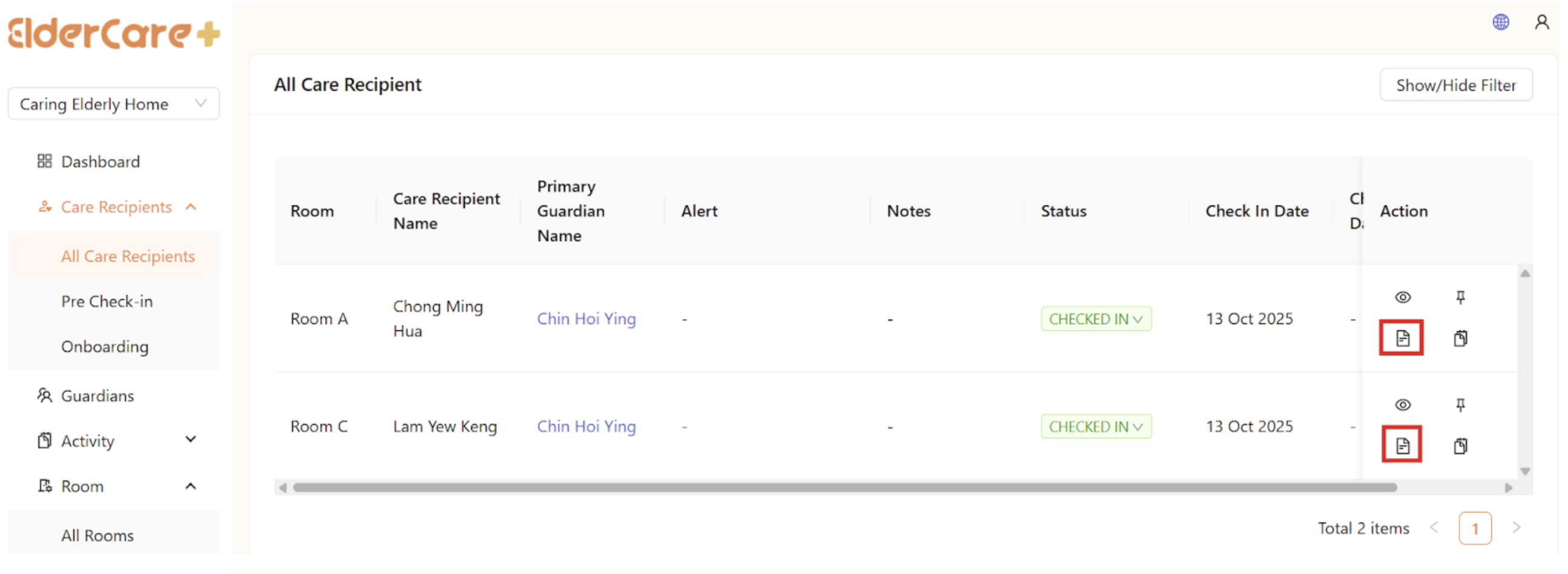
- Location: Care Recipients -> All Care Recipients
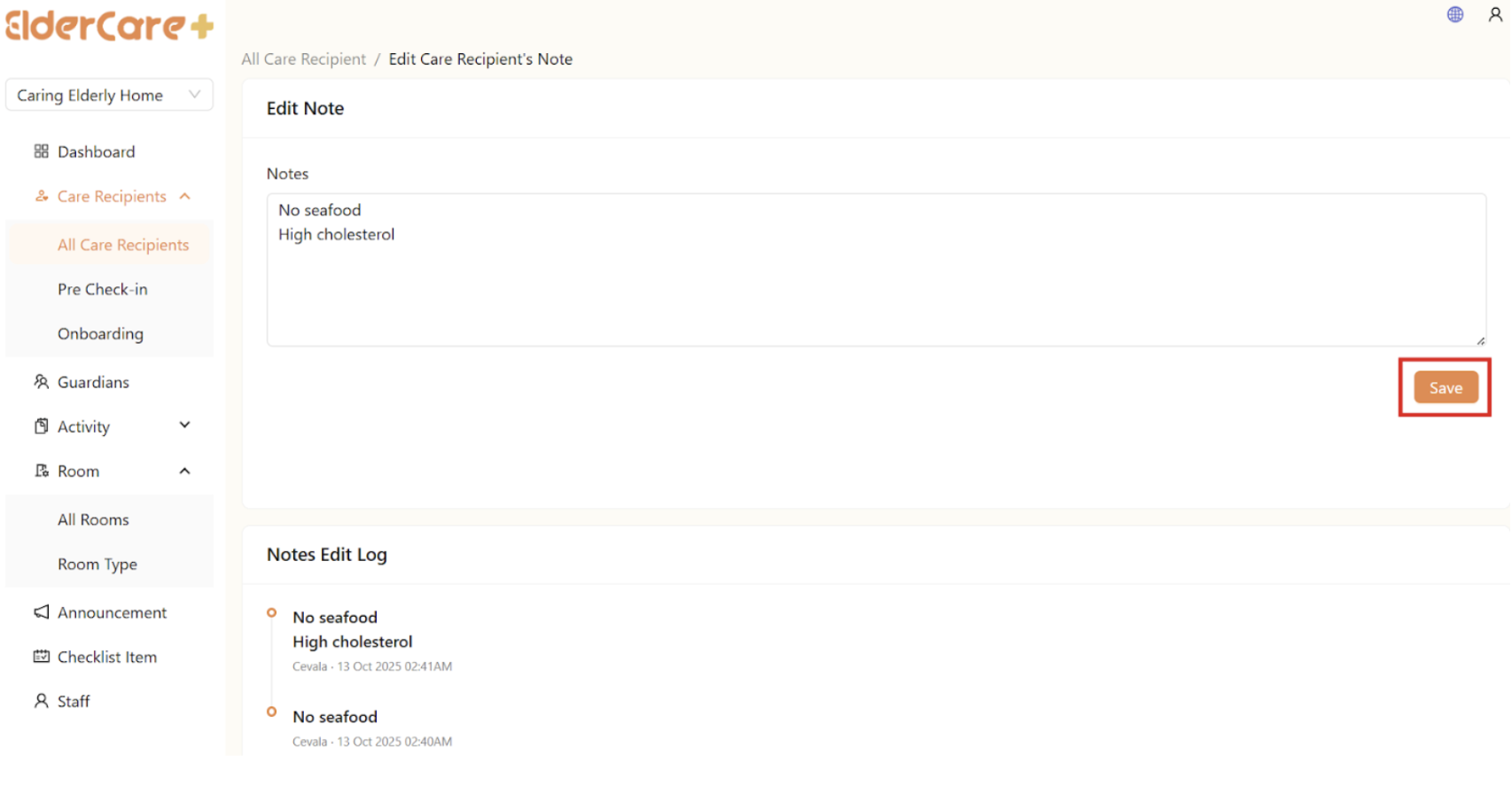
- Click on the edit note icon
- Click “Save” after updates
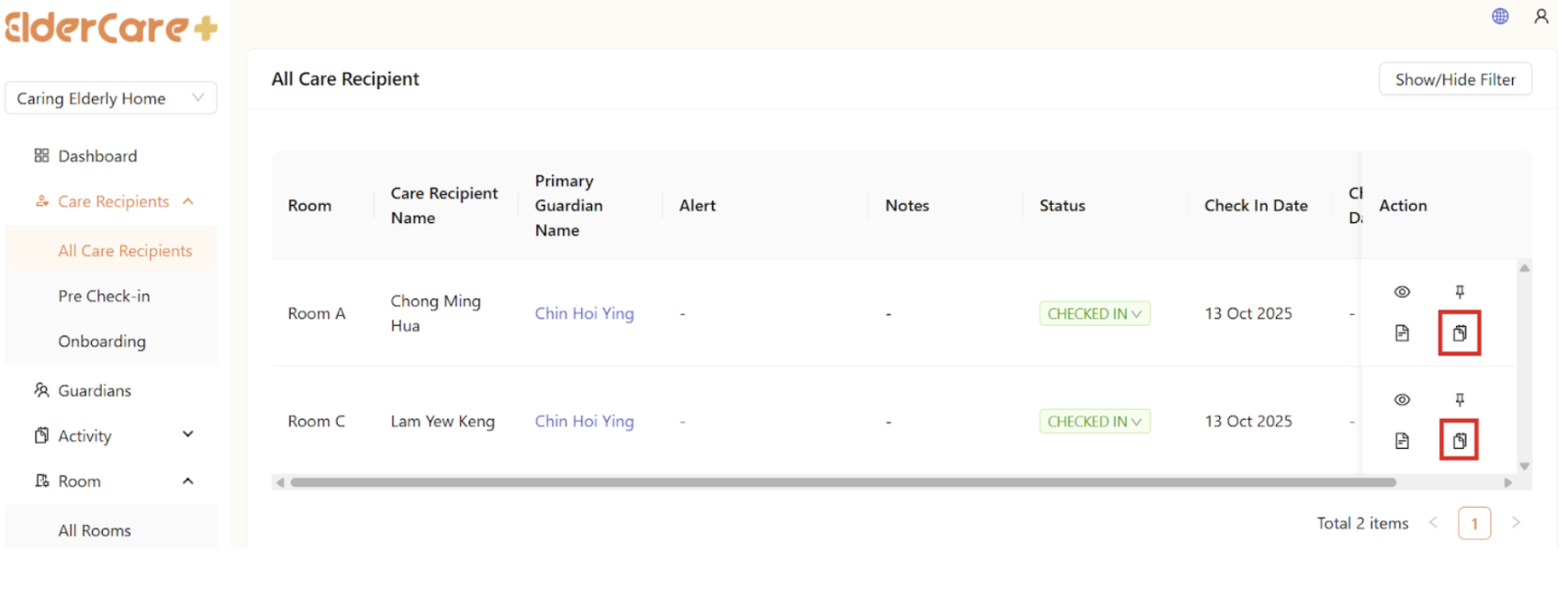
How to View Care Recipient's Report
- Location: Care Recipients -> All Care Recipients
- Click on the view report icon
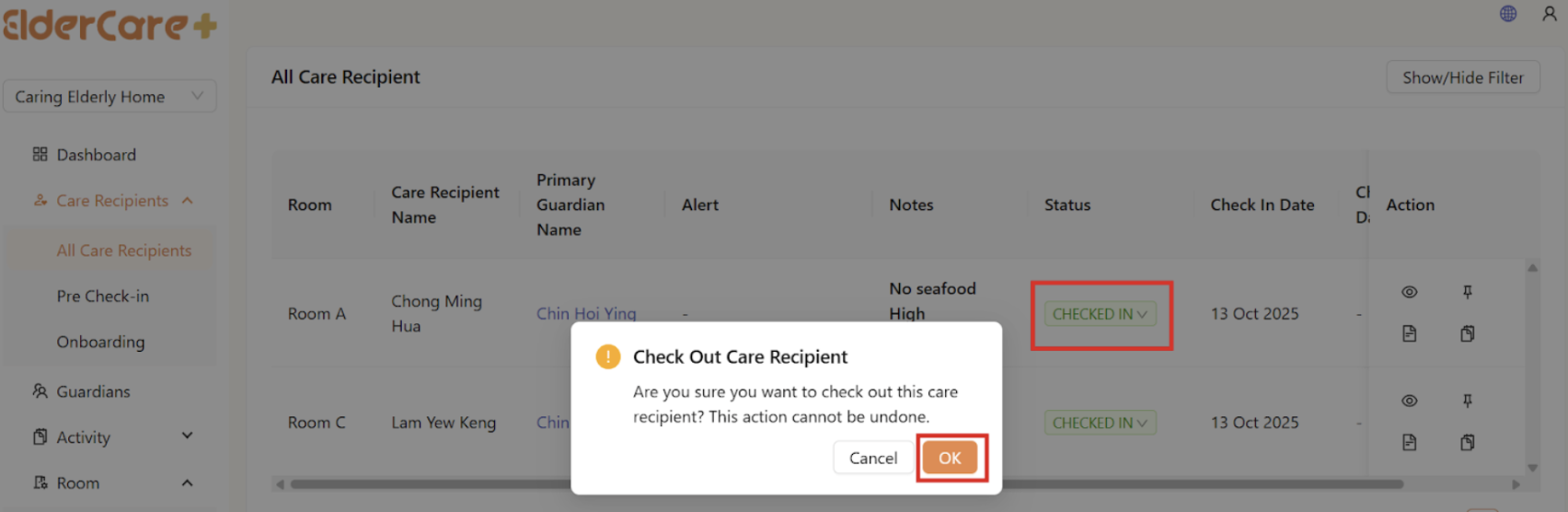
How to Check Out Care Recipients
- Location: Care Recipients -> All Care Recipients
- Click on the “Checked In” under status, then click “OK”
- The care recipient’s status will change to “Checked Out”
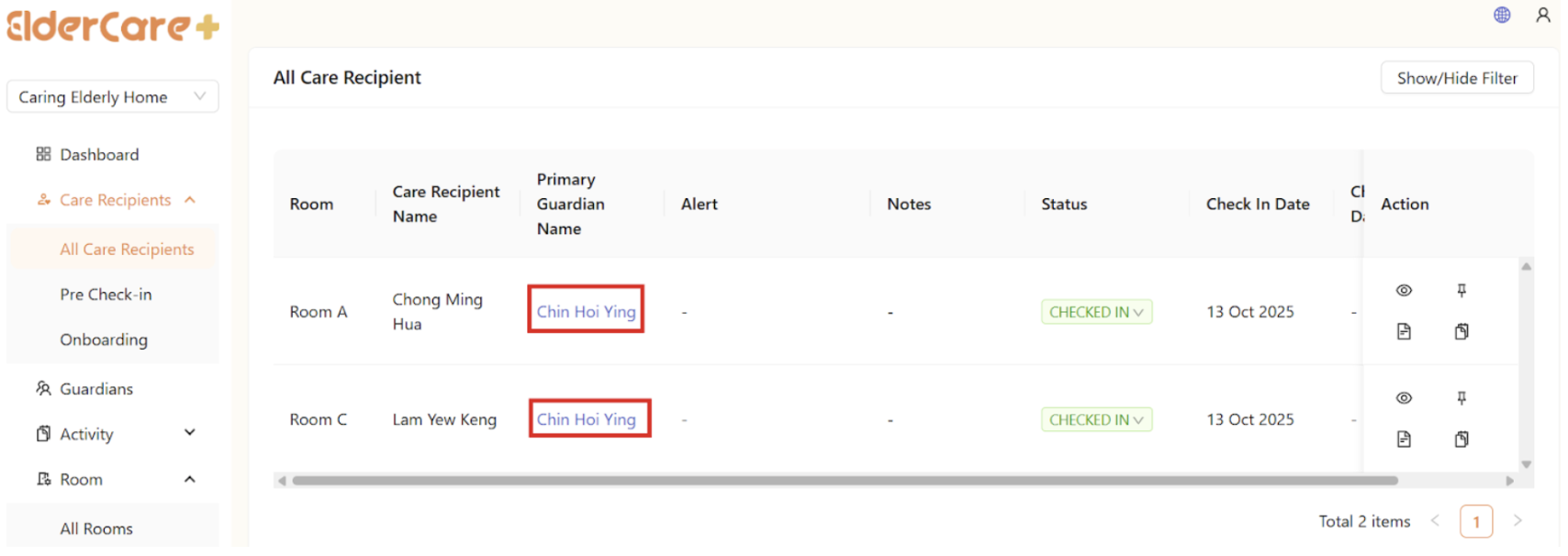
How to View the Guardian's Profile of the Care Recipient
- Location: Care Recipients -> All Care Recipients
- Click on the guardian’s name in blue

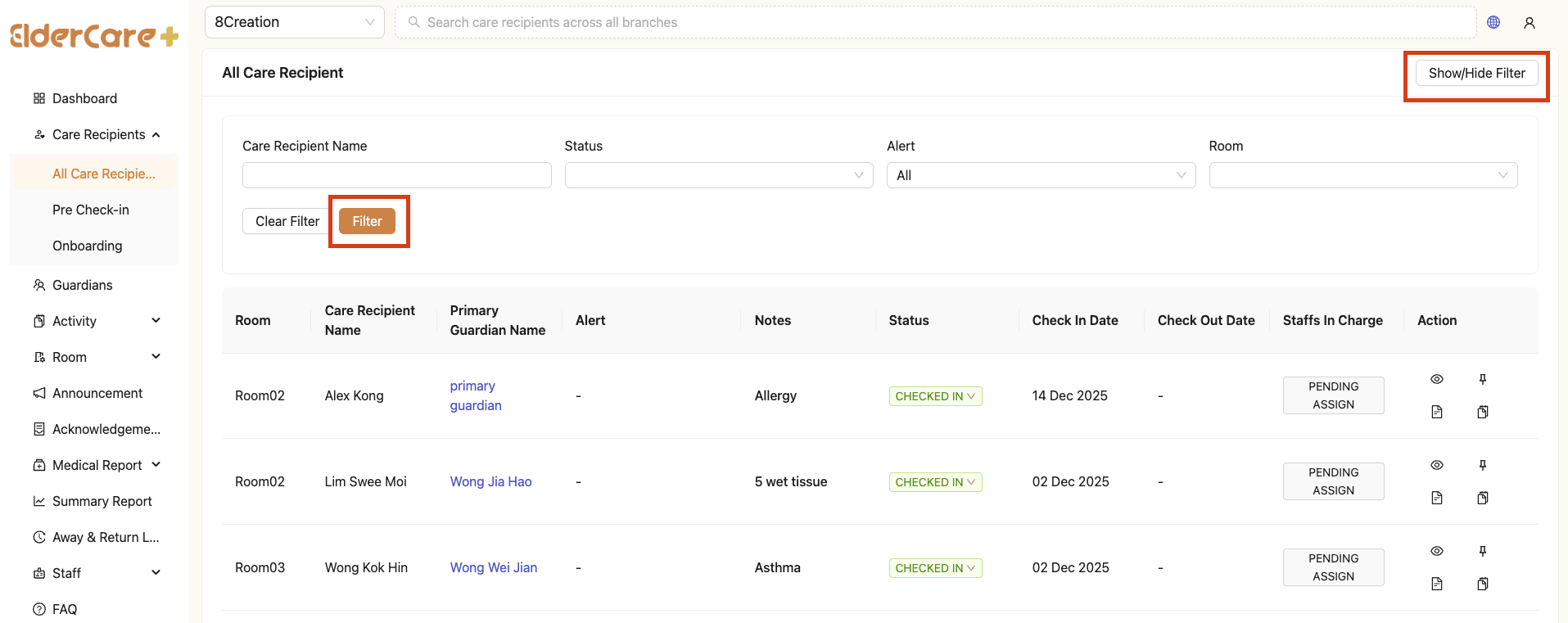
How to Filter Care Recipient
- Location: Care Recipients -> All Care Recipients
- Click “Show/Hide Filter”
- Fill in the field that you wish to filter, then click “Filter”