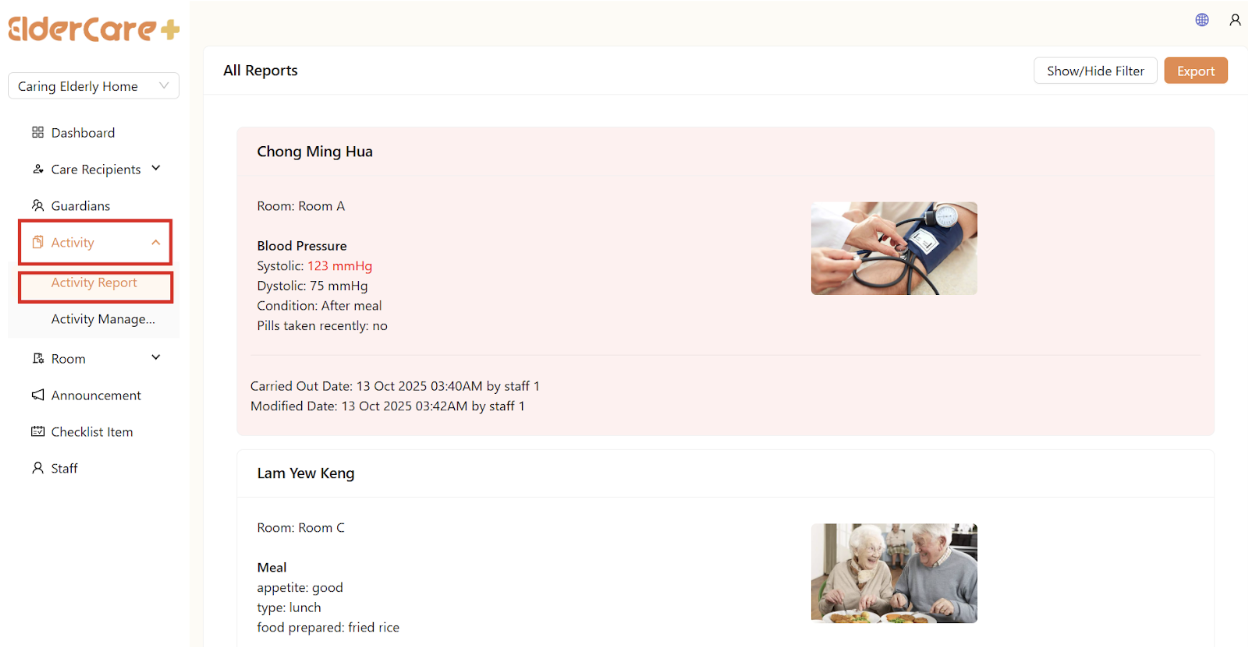
How to View Report
- Location: Activity -> Activity Report
How to Filter Report
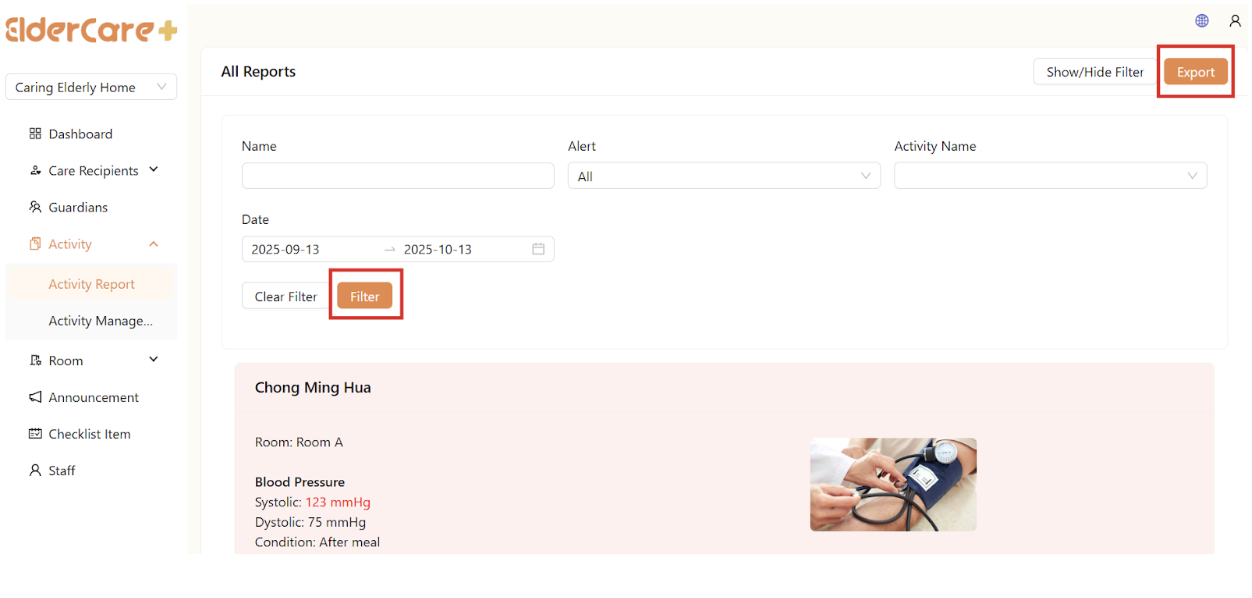
- Click “Show/Hide Filter”
- Fill in the field that you wish to filter, then click “Filter”
View to Export Report
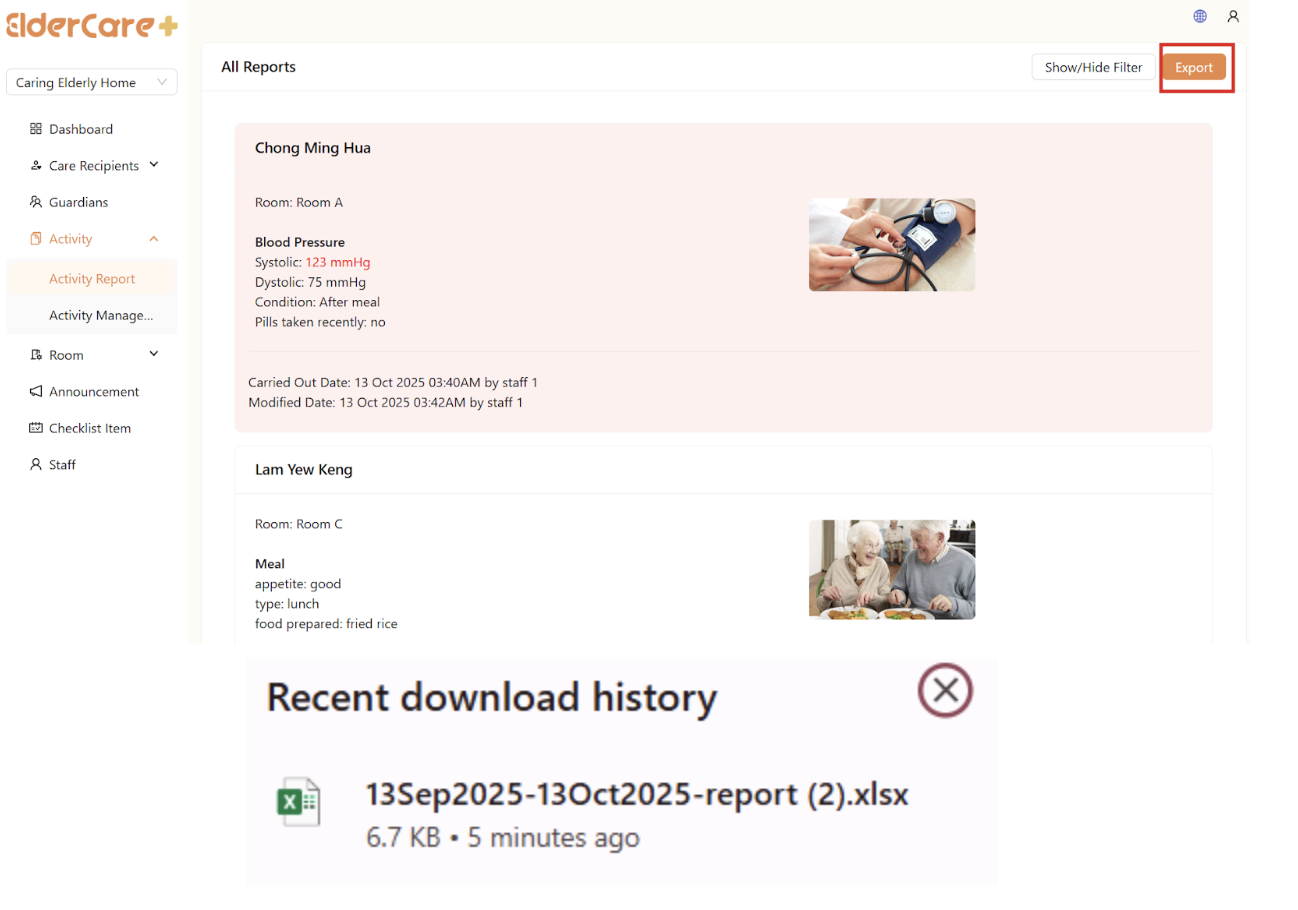
- Click “Export”
- Report is exported as Excel file, can be found in your device’s “Downloads”